The best Link in Profile alternative in 2026

- Why look for a Link in Profile alternative?
- The best Link in Profile alternative
- More content around your Instagram feed
- Sell products directly from your page
- Collect leads with forms
- Track more than page views and clicks
- Built-in AI
- Page templates with pre-made content
- Extensive customization options
- How much does the Link in Profile alternative cost?
- Link in Profile vs Taplink: feature comparison
- How to create a Taplink page?
- The bottom line
Link in Profile is built for one narrow purpose: turning Instagram posts into clickable links.
That can be useful if you only need to send followers from individual posts to external pages. But the service is limited, and its price is high for what it offers.
Link in Profile doesn’t have a free plan. Its Personal plan costs $9.99 per month or $99 per year. At this price, you get a page centered on your Instagram posts, with limited customization and basic link analytics.
The main limitations are:
- ❌ No free plan: You need a paid subscription to use the service.
- ❌ Limited functionality: The page mainly displays Instagram posts with links, titles, and descriptions.
- ❌ Limited customization: You have very little control over the page layout and design.
- ❌ No room to expand: If you later need forms, lead collection, digital product sales, payments, or other landing page features, Link in Profile doesn’t provide them.
- ❌ Limited value for the price: You pay a monthly subscription for a relatively narrow feature set.
Link in Profile can work if your only goal is to make Instagram posts clickable.
But if you need a link-in-bio page that can support more of your marketing, sales, or lead generation tasks, you will quickly outgrow it. You would then need to pay for another service or connect several external tools instead of handling everything from one page.
Taplink is the best Link in Profile alternative for users who need more than clickable Instagram posts.
Taplink lets you create a link-in-bio page and add its link to your Instagram profile. You can add your Instagram posts to the page and attach links, titles, and descriptions to them.
But Taplink can do much more than recreate Instagram posts. It also comes with many other features. Let’s look at them.
Link in Profile turns your Instagram media into the main content of the page. Taplink lets you keep the same Instagram feed while adding other useful content around it.
This means you don’t have to choose between an Instagram feed and additional information. You can use the feed as the main part of the page and add content that helps visitors understand what you offer or decide what to do next.
For example, a service provider can add:
- Your brand description.
- Services and prices.
- A portfolio or additional images.
- Customer reviews.
- Contact buttons.
- A booking form.
A creator can add:
- A short introduction.
- Social links.
- Digital products that they’re selling.
- An email signup form.
- An FAQ section.
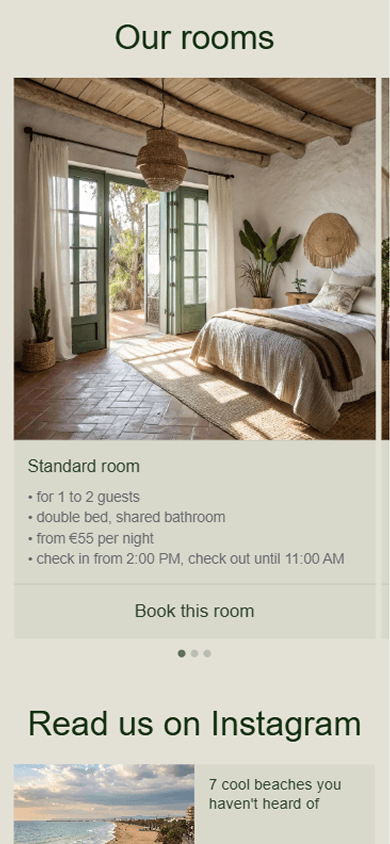
Here’s an example of a Taplink page featuring an Instagram feed and other content:


See more examples of Taplink pages.
These blocks can be useful when your Instagram posts show your work but don’t include all the information visitors need. You can keep the familiar Instagram feed and add the details, contact options, or conversion tools that help followers take the next step.
You can add as many relevant blocks as your page needs.
Link in Profile doesn’t support digital product sales. The only option is to add an online store link to an Instagram post. The actual purchase then takes place in the online store.
Taplink works differently. You can sell digital products directly from your page. Customers can complete their purchase without visiting another store.
You can sell products such as:
- Ebooks.
- Online courses.
- Guides.
- Presets.
- Recipes.
- Photos.
- Templates.
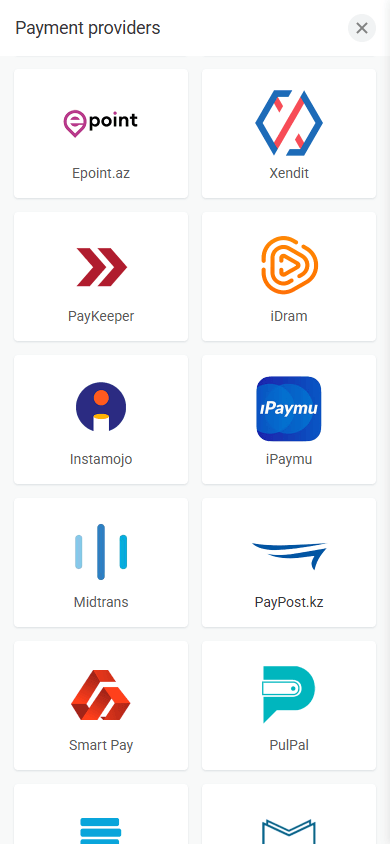
Taplink supports 60+ payment providers. These include Stripe, PayPal, Paddle, and many local services.

Taplink also stores purchase information in its built-in CRM. You can view customer data, order amounts, and order statuses from your account.
Unlike Link in Profile, Taplink lets you collect visitors’ information directly on your link-in-bio page by adding customizable forms.

You can use forms to collect:
- Email addresses for newsletters and follow-up campaigns.
- Phone numbers for calls and messaging.
- Customer inquiries about your services.
- Order details and product requests.
- Answers to custom questions.
You can also collect any other information you need.
All submitted information is saved in Taplink’s built-in CRM. You can review contacts, manage visitors’ statuses, and download all data to your device.
Taplink also connects with external CRM and email marketing services. You can send collected contacts to platforms such as Mailchimp, MailerLite, and GetResponse, then use those services to store subscribers, send newsletters, and create automated email campaigns.
This turns your Taplink page into a lead-generation tool: visitors submit their information through a form, their details are saved in the CRM or transferred to a connected service, and you can continue communicating with them through email marketing or another sales process.
Taplink provides more data to help you measure your page performance. While Link in Profile allows you to only see views, clicks, and conversion rate, Taplink lets you track:
- Page views.
- Link clicks.
- Conversion rates.
- Visitor devices.
- Visitor locations.
- Leads collected through forms.
- Revenue from digital product sales.
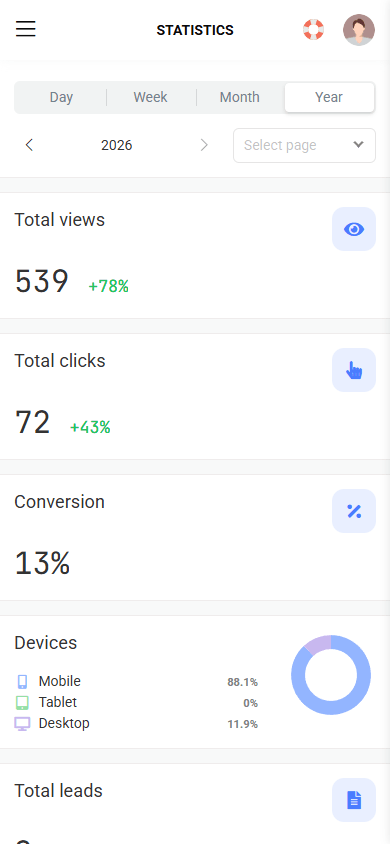

These insights can help you improve your page. For example, you can move popular links higher, change the text of buttons with low click rates, promote offers that convert better, or adjust your content for visitors from specific locations and devices.
You can also connect Google Analytics to your page if needed.
Taplink’s AI builder can create a landing page from a short description of your business, service, or offer. It can generate the page structure, write introductory text, and add relevant blocks, so you don’t have to build everything manually.
If necessary, you can edit the generated text, images, blocks, buttons, and design to match your brand. Add or remove sections, change the wording, replace images, adjust colors, and connect your own links before publishing the page.
Taplink has 100+ templates for different niches and use cases. You can find ready-made designs for creators, photographers, beauty professionals, musicians, restaurants, marketers, coaches, bloggers, online stores, freelancers, and other businesses.
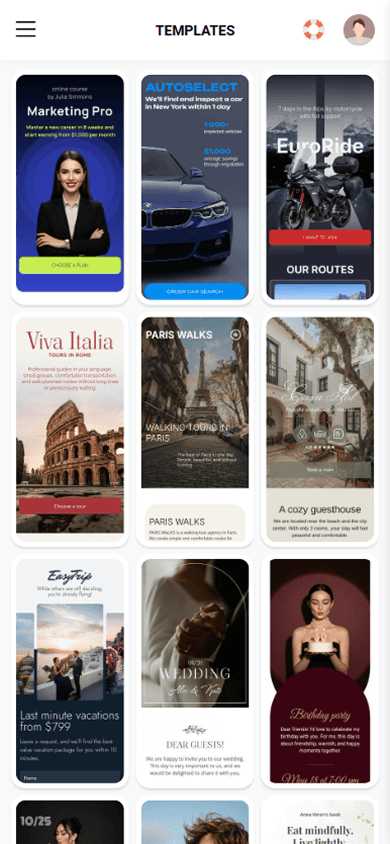
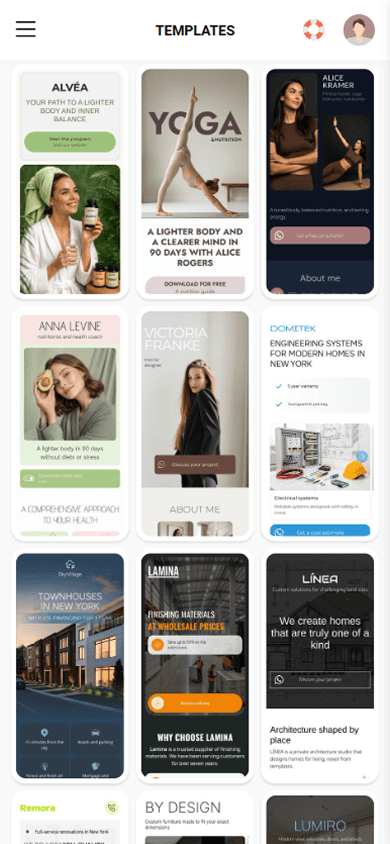

Templates give you a ready-made page structure instead of making you build everything from scratch. Depending on the template, the page may already include blocks for an introduction, services, prices, portfolio, customer reviews, social media, contact buttons, lead forms, products, or booking.
After choosing a template, you just need to replace the sample text and images with your own content. You can use the built-in AI to change the text or edit it manually. You can also remove blocks or add new ones and change the page structure.
Link in Profile gives you very little control over the page design. Its main customization option is the accent color.
Taplink gives you full control over the visual appearance. You can start with one of 200+ ready-made design themes and apply it to the entire page in a single click. This is a simple way to create a polished link-in-bio page without adjusting every element manually.
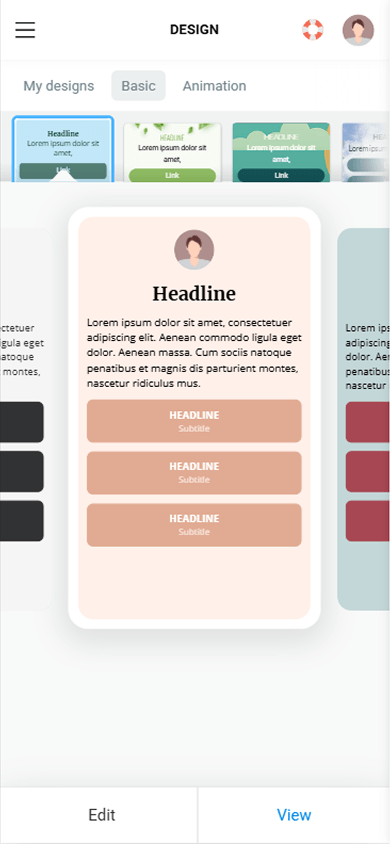
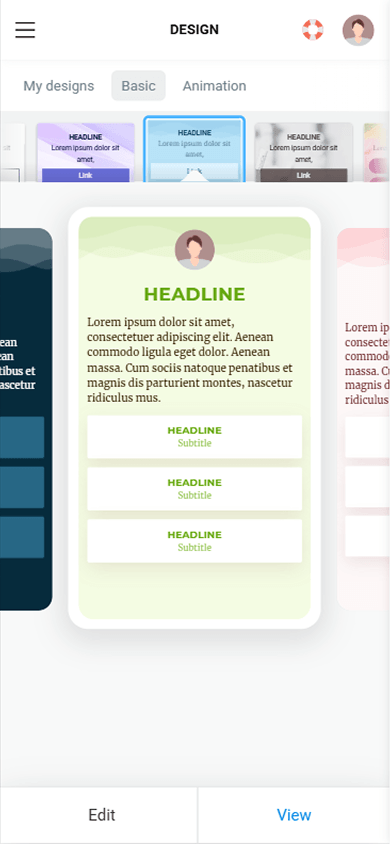

If you need more control, you can customize the design in detail. You can change individual settings for different page elements and adjust the appearance to match your brand, content, or personal style.
For example, you can customize:
- Background color or image.
- Fonts and text styles.
- Text colors.
- Button colors.
- Button shapes and styles.
- Element sizes and spacing.
- Borders and corner radius.
- Shadows.
- Sections and their layout.
- Animations and visual effects.
With these customization options, your page design can fully match the style of your brand.
Link in Profile offers a 30-day free trial. Its Personal plan costs $9.99 per month or $99 per year.
Taplink has a free plan and two paid plans.
| Plan | Price when billed annually | Key features |
| Basic | Free | Templates, AI builder, buttons, text, advantages, testimonials, FAQ, basic analytics, design themes |
| Pro | $4/month | Everything in Basic + images, videos, music, advanced design, advanced analytics |
| Business | $8/month | Digital products, forms, CRM, custom domain, integrations, branding removal |
This means you can start with Taplink for free. You only need a paid plan when you need additional features.
Here’s a side-by-side comparison of the main differences between the two platforms:
| Feature | Link in Profile | Taplink |
| Instagram content | ✅ | ✅ |
| Links to external websites | ✅ Attached to Instagram posts | ✅ Individual links and attached to Instagram posts |
| Link titles and descriptions | ✅ | ✅ |
| Text blocks | Limited to post descriptions | ✅ |
| Individual images | ❌ | ✅ |
| Individual videos | ❌ | ✅ |
| Music | ❌ | ✅ |
| Maps | ❌ | ✅ |
| Price lists | ❌ | ✅ |
| Lead collection | ❌ | ✅ |
| Digital product sales | ❌ | ✅ |
| Payment acceptance | ❌ | ✅ |
| Built-in CRM | ❌ | ✅ |
| Templates | ❌ | ✅ 100+ |
| Design themes | ❌ | ✅ 200+ |
| Page customization | Accent color | Advanced settings |
| Analytics | ✅ Views, clicks, conversions | ✅ Views, clicks, conversions, devices, locations, leads, revenue |
| Pricing | $9.99 per month | $0–8 per month |
You can create a page in Taplink in a few steps:
- Sign up for Taplink.
- Choose a template or generate a page in the AI builder.
- Edit content if necessary.
- Add your Instagram posts and attach links.
- Customize the page design.
- Publish the page.
ℹ️ Need a more detailed guide? See instructions on how to create a page from a template or in the AI builder.
Once your page is ready, add its link to your Instagram bio. You can then use the same page to share your Instagram content, products, services, and other resources.
Taplink is the best Link in Profile alternative if you want more than clickable Instagram posts. It offers the same core feature while letting you create a complete landing page with custom design, text, images, videos, forms, maps, price lists, lead collection, digital product sales, payments, and detailed analytics.
Link in Profile is focused on Instagram posts, while Taplink can support your marketing, lead generation, and sales as your needs grow.