80+ link tree templates that actually convert

- Best link tree templates are in Taplink
- How to create a link tree using a template
- Link tree templates for musicians
- Link tree templates for restaurants & coffee bars
- Link tree templates for the small business
- Link tree templates for the service business
- Link tree templates for e-commerce & online stores
- Link tree templates for real estate agents & realtors
- Link tree templates for designers
- Link tree templates for clothing stores
- Link tree templates for photographers & portfolios
- Link tree templates for doctors & the health business
- Link tree templates for educators
- Link tree templates for marketers
- Link tree templates for travel agencies & tour planners
- What if none of the templates fit
- FAQ
- How to make your link tree look better?
- Can I put a PDF in your link tree?
- Can I modify my link tree using HTML?
- Can I use link tree templates for free?
- What link tree template should I choose?
All the templates you’ll find in the article are provided by Taplink, a link in bio tool with AI features. We consider Taplink one of the best link in bio tools. Here’s why:
- ✨ Built-in AI: It lets you generate copy for your link tree tailored to your specific business.
- 📝 20+ content blocks: Besides links, you can add text, images, pricing plans, contact forms, maps, and more.
- 🎨 Extensive design customization: There are 200+ pre-designed themes, plus detailed customization settings for colors, border radius, sizes, styles, and fonts.
- 🛒 0% sales fee: You can sell your digital products without any fee from Taplink.
- 🎁 Free plan available: It allows you to add links, text, lists, a FAQ section, and a map, as well as adjust colors, styles, and fonts.
- 💲 Paid plans cost less than those of popular tools: Taplink paid plans cost $4 and $8 a month. For comparison, Linktree plans range from $10 to $50 a month, while those of Beacons range from $8.33 to $75 a month.
With Taplink, your visitors can not only find all your links. They can also view your portfolio, book services, make calls, send SMS messages, and buy digital products without wasting time to switch to other platforms. This way, Taplink can be your all-in-one solution, capable of even being your mini website.
All the templates you’ll find in the article are grouped into sections. In each section, here are links to these templates. Based on any template, you can create your own link tree. Here’s how to do it:
- Click on the name of the template you like in the article.
- Sign up for Taplink. This is a necessary step: all templates automatically open only after signing up.
- Generate unique copy for your link tree using AI.
- Fine-tune your link tree.
- Publish it.
If you need additional assistance with creating your link tree, you’ll find it in this detailed guide.
In this section, we’ve provided link tree templates for musicians for various purposes: sending fans to music platforms, announcing a concert and selling tickets, and presenting a music teacher and their services.
The first two templates work for musicians of any genre, including pop, rap, rock, country, etc. The third is for music teachers teaching piano, guitar, or vocals.
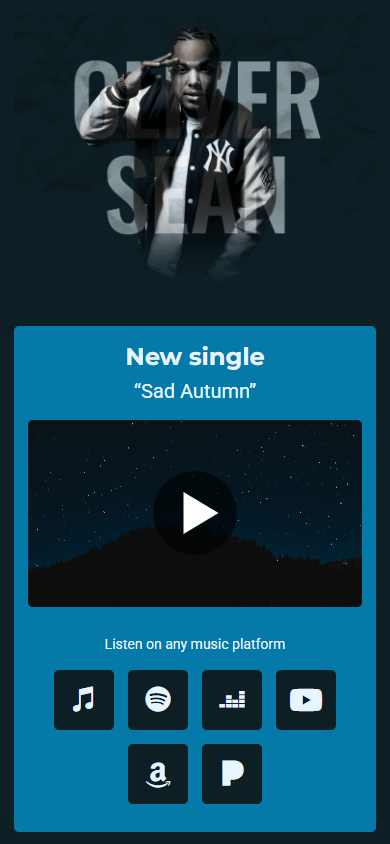
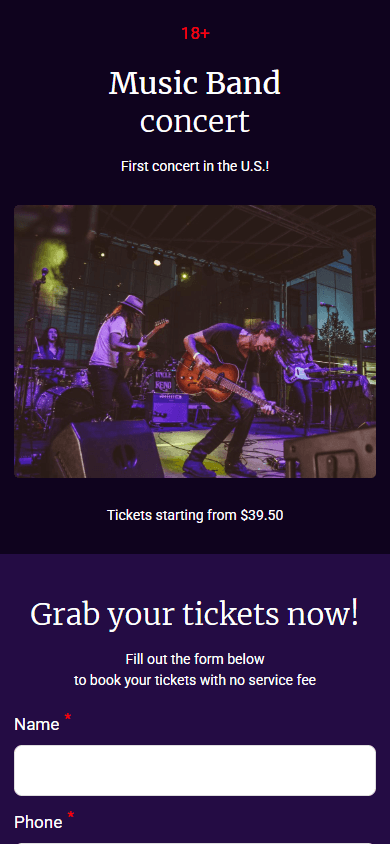

There is also a minimalist template with a focus on your bio:
For restaurants, showing their dishes is essential. That’s why these restaurant link tree templates focus primarily on visual content. You can also easily add your menu here by listing it directly on the page or placing a link to a PDF file, for example.
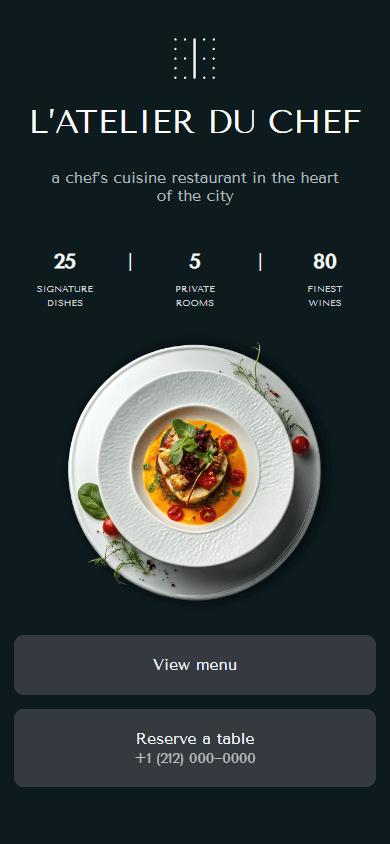
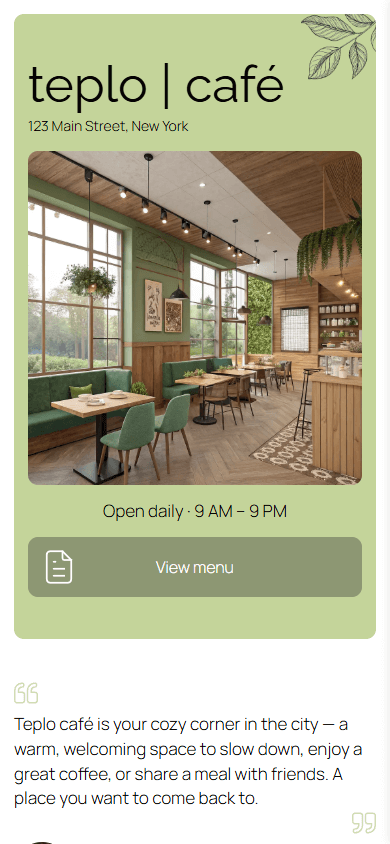

We also offer other templates for restaurants:
Small business link tree templates should quickly explain who you are, what you do, and why customers should trust you. That’s why all the templates below use a proven structure that includes a business name, brand description, and service section. The service section appears as a price list. This way, customers can instantly see the price for the service they need.
You’ll also find a reviews section. They’ll help build even more trust with your customers. The reviews appear both as an image carousel and as a regular list. Choose the option you like.



Other templates for small business link trees:
- Link tree template for a digital preset store.
- Link tree template for a nail school.
- Link tree template for a beauty salon.
- Link tree template for a hair salon.
- Link tree template for a coffee shop.
- Link tree template for a neighborhood restaurant.
- Link tree template for a tailoring shop.
- Link tree template for a leather accessories store.
- Link tree template for a car detailing business.
- Link tree template for a kindergarten.
- Link tree template for a pet beauty salon.
These templates focus on presenting you. That matters for service businesses as people are buying your experience and responsibility. The templates also list your services in detail and show your workflow step by step using attractive visual lists. For offline businesses, there’s a map so customers can quickly see whether your location works for them.

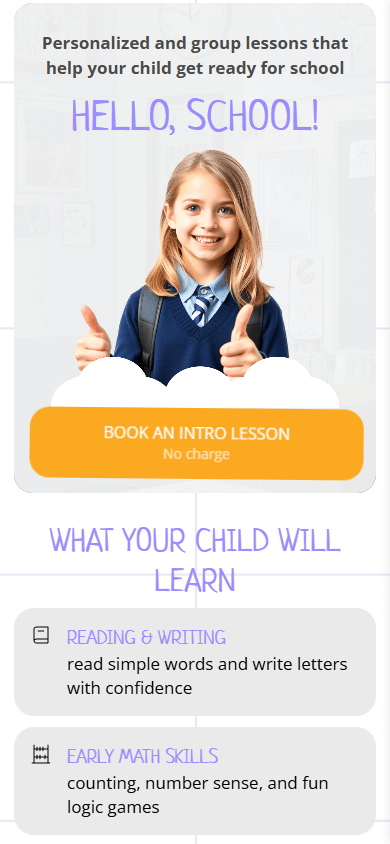

If you offer other services, take a look at following templates:
- Link tree template for a car detailing business.
- Link tree template for an interior designer.
- Link tree template for a web design studio.
- Link tree template for a moving and storage business.
- Link tree template for a home renovation business.
- Link tree template for a catering business.
- Link tree template for a vet clinic.
- Link tree template for a pet grooming salon.
- Link tree template for a dermatologist.
- Link tree template for a nail studio.
- Link tree template for an advertising specialist.
- Link tree template for a music teacher.
- Link tree template for a realtor.
When people shop for products, they want to see what the products look like. That’s why these e-commerce link tree templates put the focus on images. The templates display images in different layouts depending on the design: single images and grids, with or without descriptions.



Other templates for e-commerce pages:
- Link tree template for a phone and accessory store.
- Link tree template for a watch store.
- Link tree template for a clothing store for young people.
- Link tree template for a leather accessories store.
- Link tree template for a clothing wholesaling business.
- Link tree template for a cosmetics store.
- Link tree template for a children’s clothing store.
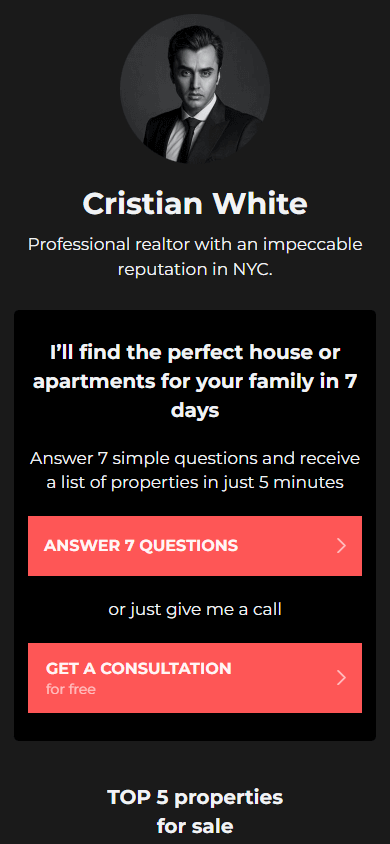
Real estate link tree templates need to both tell about the property and show it visually. That’s why these templates use carousels. You can add property photos and detailed descriptions there. If needed, you can also add a map to the page. Use it to show your office location or the property location.

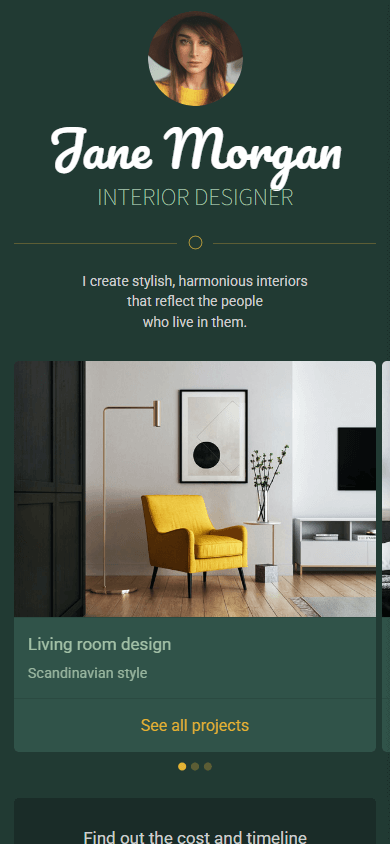
These designer link tree templates work for both solo designers and studios. The key part of these templates is the portfolio. Depending on the specialty, the portfolio appears as an image carousel or separate videos. To help clients clearly understand how you work, the templates include sections that outline your workflow. They come in two formats: a standard list with step names and descriptions, as well as a collapsible list where the description opens by tapping the step name.
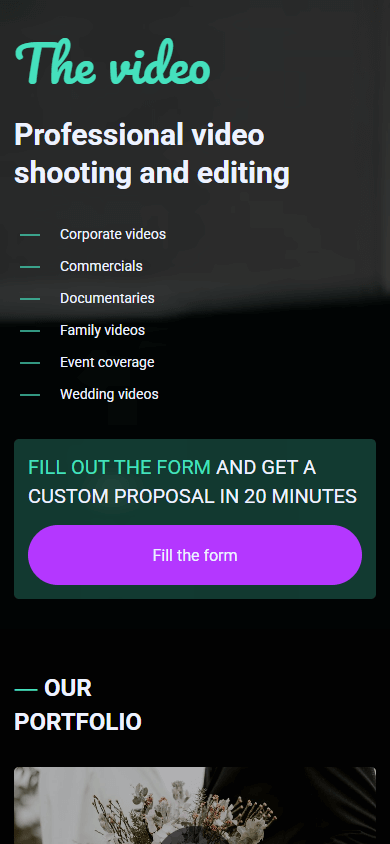

A minimalist template is also available:
These templates for clothing store link trees work for both retailers and wholesalers. The main focus is showcasing collections, so customers can quickly see the range of your goods. Depending on the template, products show up as large or smaller images, as single photos or carousels, with or without descriptions. For brick-and-mortar stores, some templates include a map, so customers can quickly find your store and get directions.
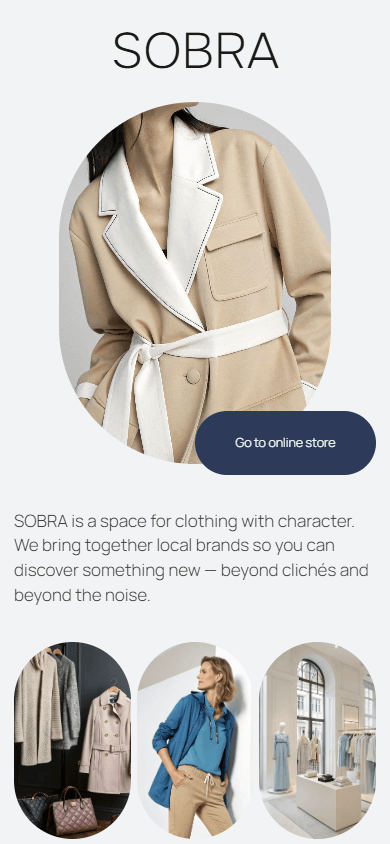


Consider other clothing store templates:
This section features two templates: one for selling presets and one for photographers. Both put the spotlight on portfolios. The preset template shows a creative portfolio with paired “before and after” images, which makes it easy to compare shots. The photographer template uses a carousel so photos can be swiped one by one. Both templates use a minimalist black-and-white design, making them suitable for photos in any style.


These healthcare link tree templates are designed to build trust with your patients or clients and present complete information about your practice. They mainly focus on introducing you as a specialist by allowing you to put your hero photo, describe your area of expertise and experience in detail. The templates also highlight services. They appear as visual lists with graphics and photos, depending on the template. You can also add photos of certificates and licenses to support your credentials.



Other templates for creating healthcare link trees:
Your education link tree should show clients what they’ll learn right away. That’s why these templates specifically focus on the course program section. It comes as a visually appealing list with graphical elements. Another key feature is the countdown timer. It counts down to your course start or the end of your promotion. The timer creates a sense of urgency, motivating clients to take action.



These link tree templates for marketers highlight a transparent and detailed overview of your work process. The steps can appear as a standard list with headings and descriptions or as a collapsible list where the description opens when you click on the heading. The templates also have other sections important for marketers, including service descriptions, portfolios, and booking forms. Choose the one that fits your needs.



You might also like this template:
These link tree templates for travel specialists create a vacation mood at the first glance through the images. The first template works for selling travel guides, while the other two are designed for selling tours. Offers are presented as individual tours or as a carousel featuring the best options. The third template includes a contact form to gather the client’s information, saving time for both sides.



You can also try a minimalist template with a short description and social media links:
Templates aren’t the only option for creating a link tree in Taplink. You can also use the built-in AI, which generates a page from scratch in just 10 seconds. The page will come with a ready-made design and be filled with images and copy created specifically for your business. You can generate your link tree with AI here.
If you need help in using Taplink AI, this guide will show and tell you how to create a link tree with AI.
Here is an example of the link tree you can create with Taplink AI:

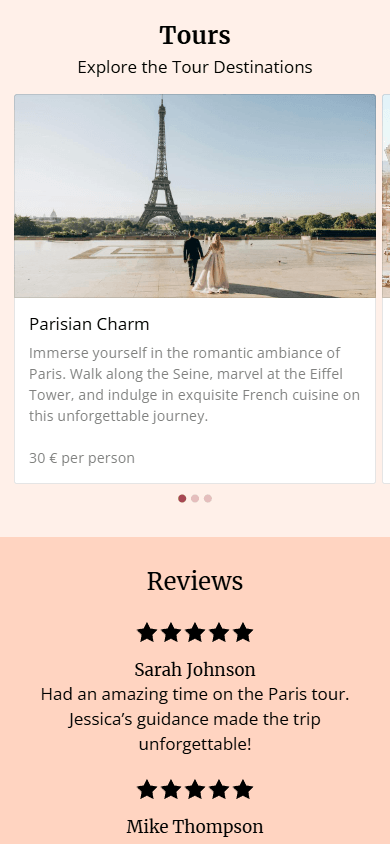

After choosing a template in Taplink, you can customize your link tree however you like. If the pre-made blocks aren’t enough for you, just add more. You can use text, images, videos, music, lists, pricing plans, contact forms, and more. Design is also customizable. There are 200 themes, from static to animated ones, plus full control over colors, sizes, styles, fonts, and page sectioning. This is especially useful if you have a branded style.
In Taplink, you can add a PDF file to a link tree page in three ways:
- Add a link that directs to your PDF document, stored on a cloud service like Google Drive or Dropbox.
- Add the file as a digital product directly to your Taplink page. It’s useful if you’d like to sell it. In this case, the file will be available to customers after they buy it.
- Add a PDF by using the HTML code block. This way, you can display the PDF document directly on the page. To use this option, you need to have the PDF file on any digital publishing platform like Issuu or FlipHTML5.
Yes, if you’re using Taplink to create your link tree. Use the HTML code block. It lets you bring any idea to life on your link tree. For example, you can add a table, animate elements in a unique way, or embed a support chat.
It depends on the tool. For example, Taplink offers 100+ templates that you can use to create a link tree. All templates are available on the free plan. The plan just determines what content you can add and how much you can tweak the design. The free plan gives you links, text, pricing tables, an FAQ section, a location map, and the ability to customize element colors, styles, and fonts. Check out Taplink plans and their features.
Focus on the niche the template was designed for. Taplink offers templates for marketing, music, health, travel, design, food, and more. Each template features unique content created specifically for that niche. Once you choose one, just edit the text and add your own images. And the design can be changed any time — you can choose one of 200 themes or adjust the design manually.