Beyond standard Lnk.Bio examples: 10 ideas for your page

- Lnk.Bio-style pages, built with Taplink for more flexibility
- Yoga coach: combine a distinctive design with clear coaching
- Photographer: make your work part of the page design
- Beauty salon: make services and prices easy to explore
- Interior designer: showcase your work and explain your services
- Course creator: keep a detailed program easy to explore
- Meditation coach: make your guide’s value easy to see
- Tour agency: help travelers choose a tour with confidence
- Massage studio: explain what clients can expect
- Bakery: showcase your desserts and collect order details
- Nutritionist: give your page a fresh, playful look
- How to create your own page in Taplink
- The bottom line
The examples below show pages in the style of Lnk.Bio with more content and design options. Each comes with a template you can use to build a similar page.
We created all of the examples with Taplink, a link-in-bio tool and a mobile website builder for creators and small businesses. It lets you showcase your work, sell digital products, and collect customer requests.
Taplink also gives you more ways to organize that content and customize page design than Lnk.Bio:
- 📝 More types of content: Go beyond links, images, and videos. Add service price lists, packages visitors can compare, and expandable sections for answers, schedules, or service details.
- 🎨 More design freedom: Set different backgrounds for sections, place photos side by side, and change the size of elements. Customize button shapes, borders, shadows, and spacing to give your page its own style.
- 🛠️ An easier way to start: Choose a ready-made template or let AI create a page from a short description in 15 seconds. Then add images and customize the design to fit your business. We’ll show you how to use both creation methods below the page examples.
Explore the Lnk.Bio-style examples below and choose a design for your own page. You can view each page live or open its template right after you sign up.
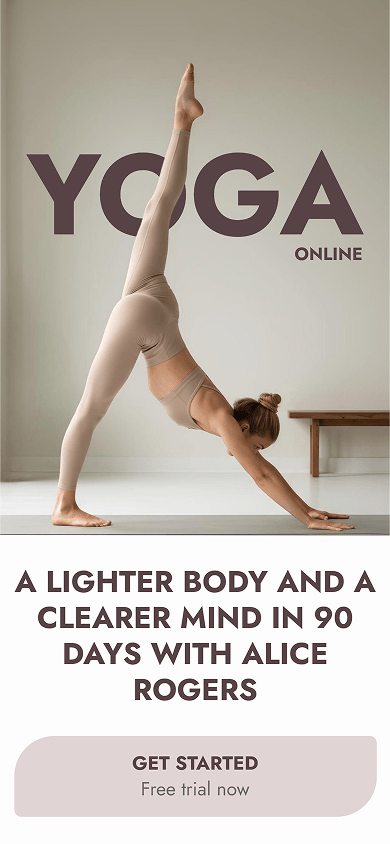
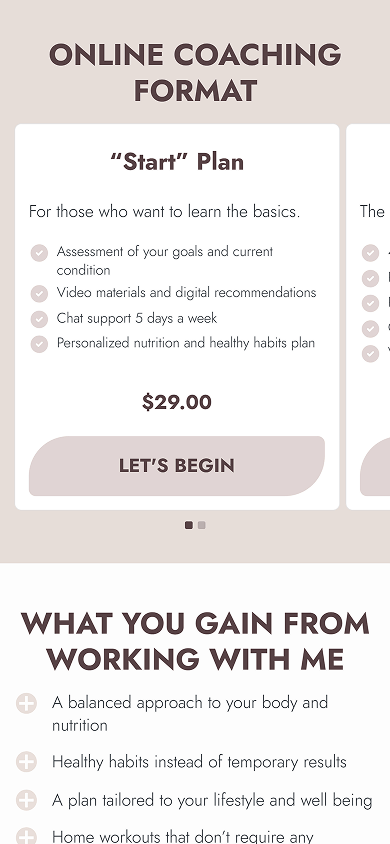

Here are two ideas to borrow from this page:
- Distinctive design (screenshots 1–3): A full-width yoga photo, bold headings, and buttons with asymmetrical corners give the page its own style. Taplink lets you group blocks into sections with different backgrounds. Here, white and beige sections separate offers, benefits, and other content. Visitors can follow the page more easily, and you get more design control than with Lnk.Bio’s page-wide background settings.
- Coaching plans (screenshot 2): Help visitors compare your services. Each card shows a description, included services, a price, and a sign-up button. The carousel keeps multiple offers compact. Taplink’s Pricing plans block puts these details together. You don’t need to build each offer from separate text and links as you would in Lnk.Bio.
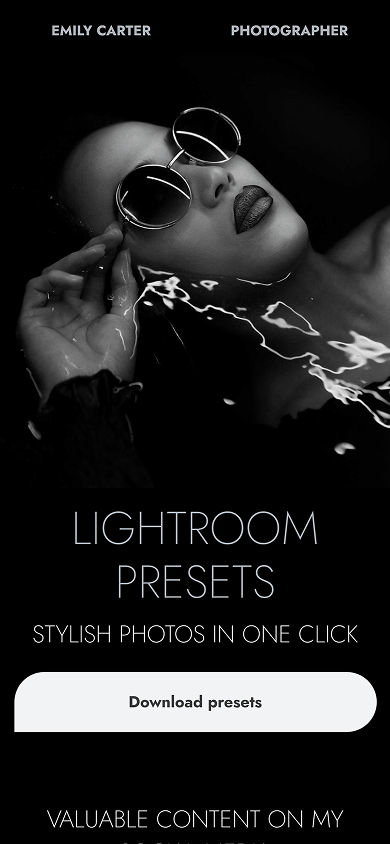
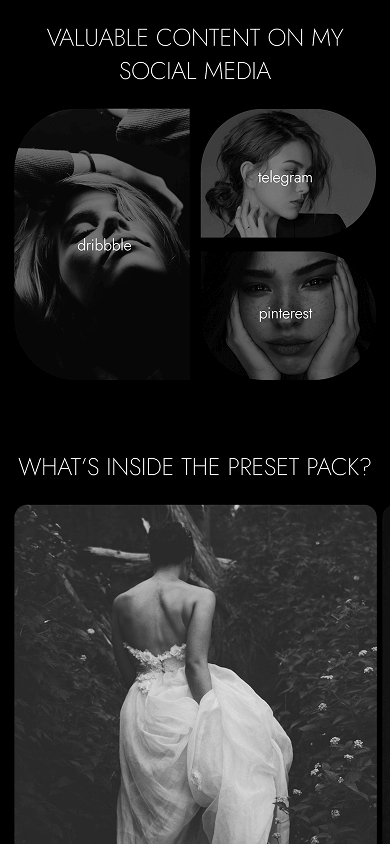

Borrow this idea to put your photos in the spotlight:
- Photo tiles and preset previews (screenshots 2 & 3): Photos turn social links into a showcase of your work. A staggered collage helps visitors compare preset effects before buying. Taplink’s Custom block lets you freely arrange images, text, and links. This gives you more layout options than Lnk.Bio’s preset designs for links.
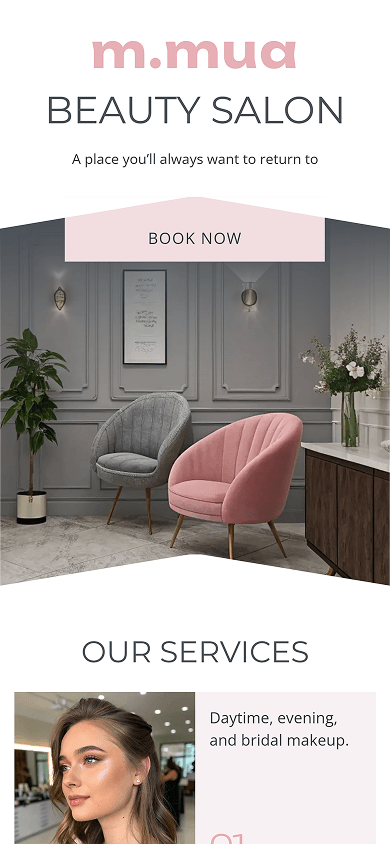
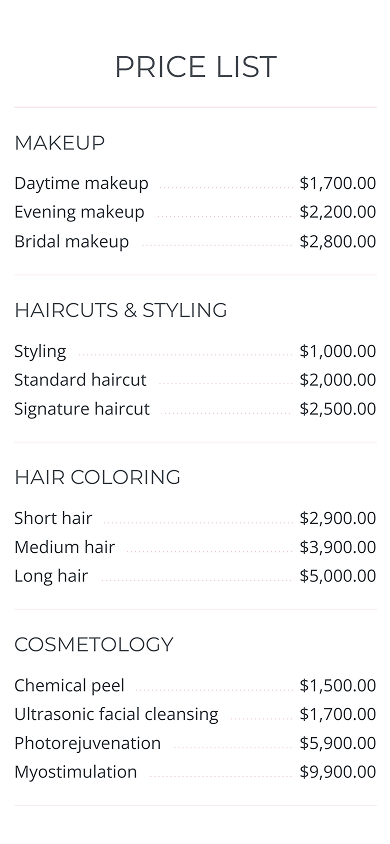

Here’s an idea for presenting your service menu:
- Organized service prices (screenshot 2): Service categories and aligned prices help visitors find a treatment and check its cost before booking. Taplink’s Price list block keeps the formatting consistent. You don’t have to line up service names and prices manually in text blocks as you would in Lnk.Bio.
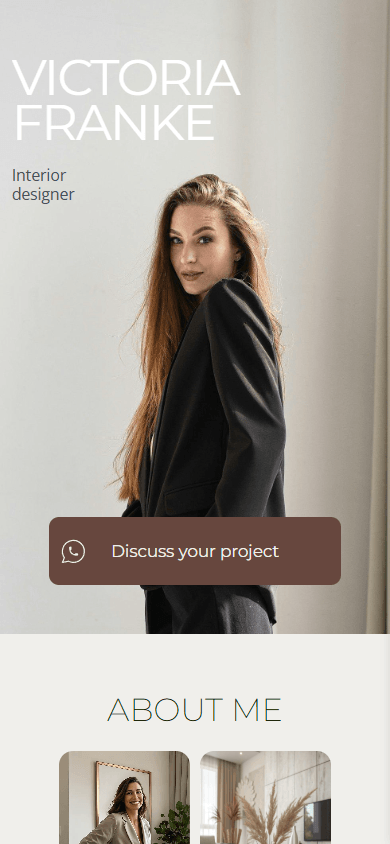
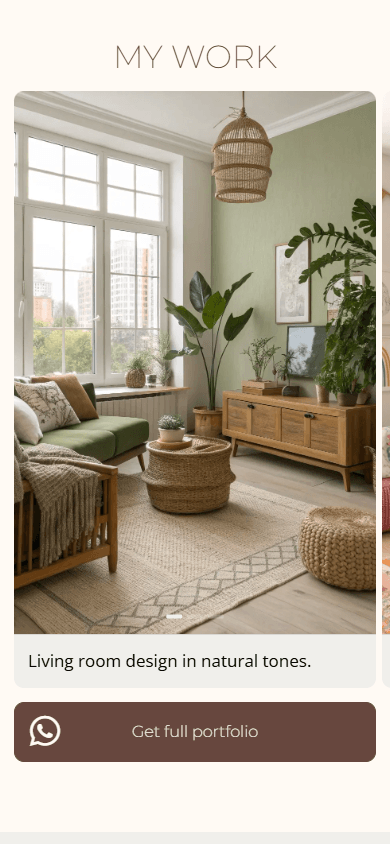

Use these ideas to help potential clients explore your work:
- A compact portfolio (screenshot 2): Large interior photos show your style one project at a time. Short captions explain each design. The Image carousel block lets you show more work without making the page much longer. You can also add links to the slides so visitors can explore projects in more detail.
- An expandable service menu (screenshot 3): Here, the FAQ block presents design services instead of answering questions. Clients can open each offer, read the details, and decide whether it fits their project. The block also works for course programs, instructions, and other content you want to keep compact.

Borrow this approach to present your course outline:
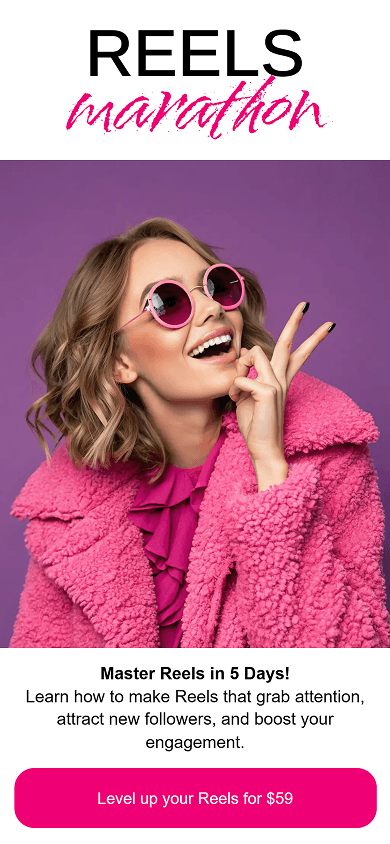
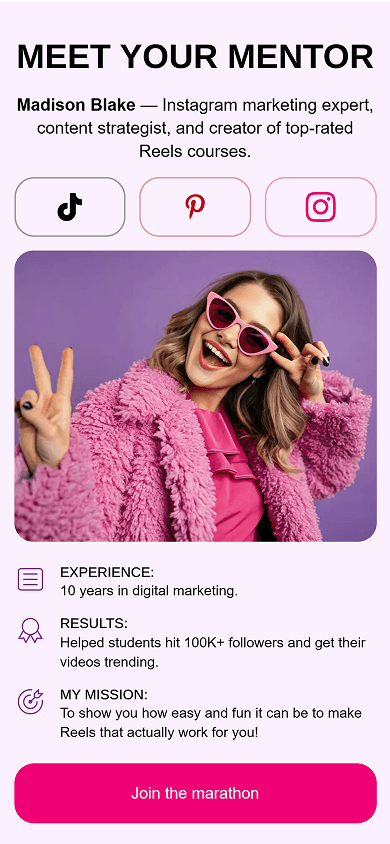
- Expandable course program (screenshot 3): Visitors can scan the five-day program and open each day to learn more about its topics. The page stays compact, and potential students can see what they’ll learn. Taplink’s FAQ block works here as a course outline instead of a list of questions. It adds an expandable format beyond Lnk.Bio’s standard text blocks.

Two ideas can help you present your own offer:
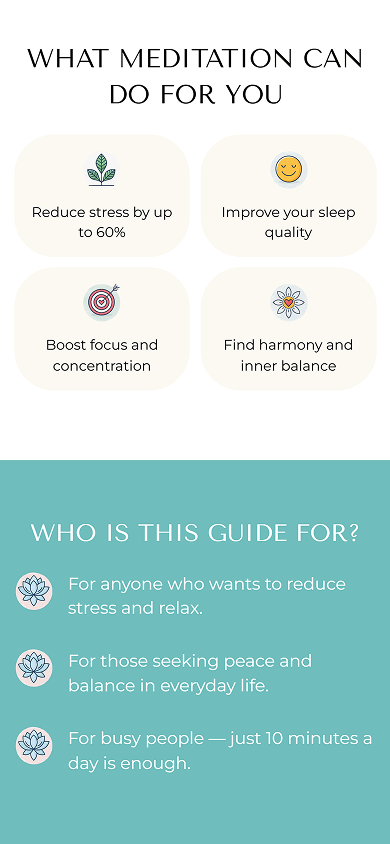
- Benefits and audience at a glance (screenshot 2): Icon cards show the benefits of meditation. An illustrated list helps visitors decide whether the guide suits them. Both use the Media and text block with different layouts. You can pair icons with headings and descriptions to make key points easy to scan.
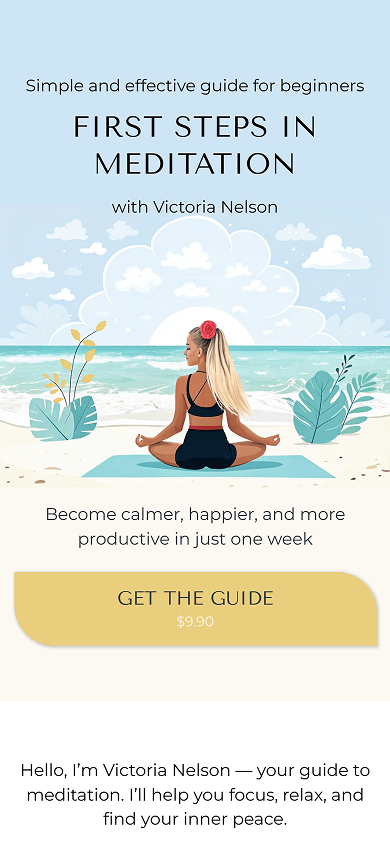
- Matching sections and buttons (screenshots 1–3): Cream and turquoise backgrounds create clear sections and help visitors follow your offer. Yellow buttons with asymmetrical corners tie the design together. Taplink lets you choose backgrounds for individual sections and set the button shape for your page. This gives you more flexibility than Lnk.Bio’s page background and button color settings.
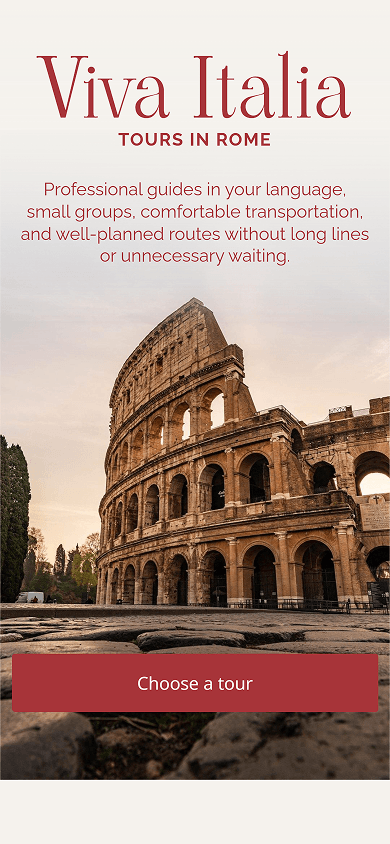
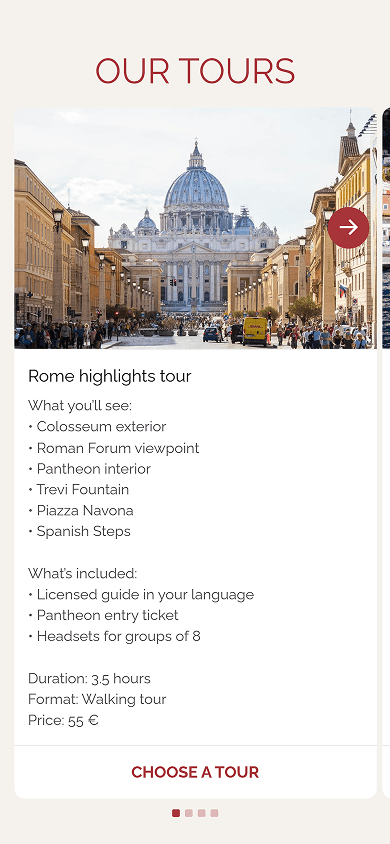

Try these ideas to make your tours easier to explore:
- Tour cards visitors can swipe through (screenshot 2): Each slide shows a destination photo, itinerary, included services, duration, and price. Travelers can compare tours and follow a link to their chosen option. Taplink’s Image carousel lets you add text and a link to each slide. Photos and tour details stay together, rather than in separate Lnk.Bio image and text blocks.
- Answers before booking (screenshot 3): Expandable answers explain group sizes, prices, assistance, and changes to plans. Visitors can open what they need without scrolling through every answer. The FAQ block keeps these details compact. It’s easier to browse than a long list of questions and answers in Lnk.Bio’s text blocks.
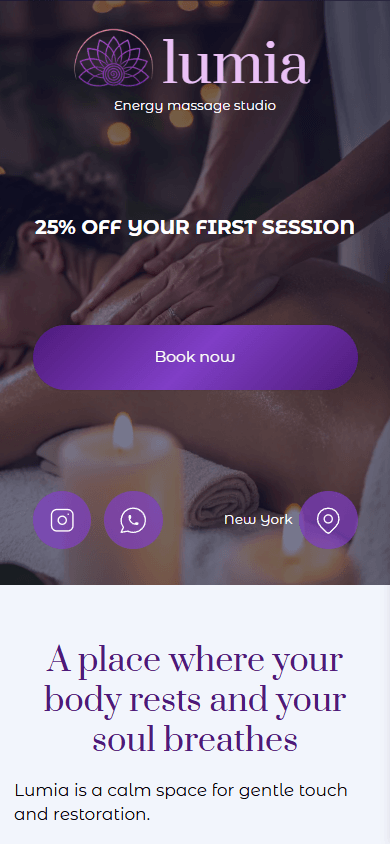
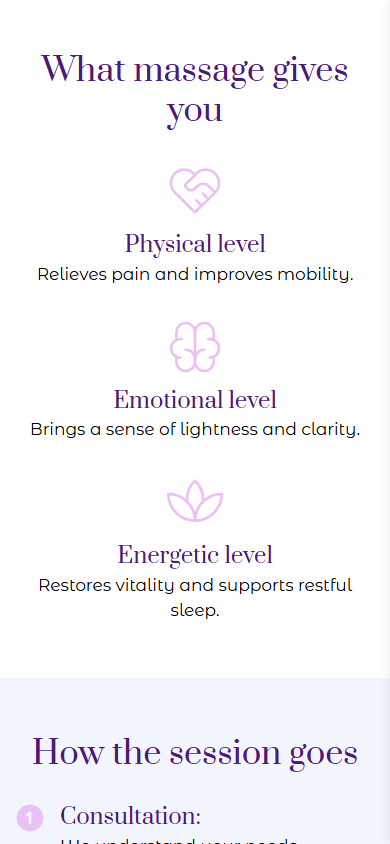

Use this idea to introduce your services:
- Benefits in clear, separate points (screenshot 2): Three icons, headings, and short descriptions make the massage benefits easy to scan. Potential clients can understand your approach before booking. Taplink’s Media and text block keeps each icon with its explanation. This makes the layout easier to build than with separate image and text blocks in Lnk.Bio.
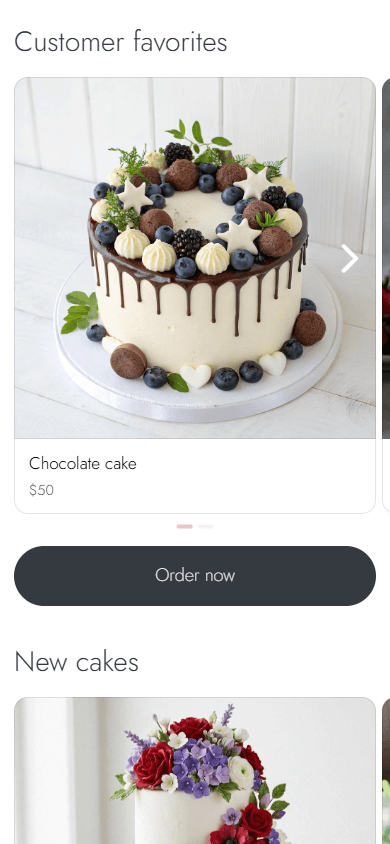

Adapt these ideas for your own bakery:
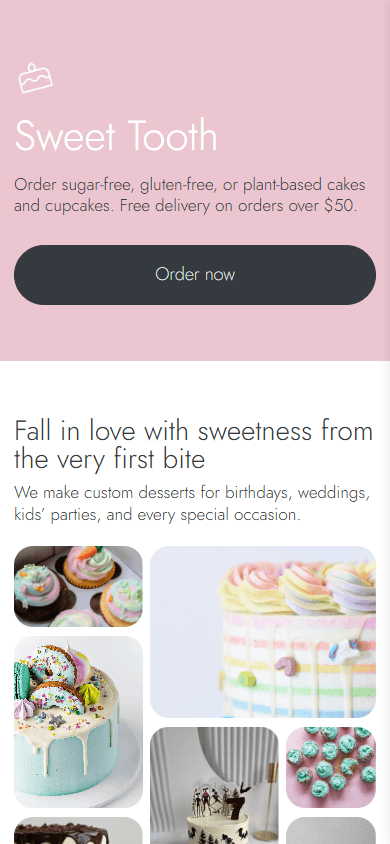
- Dessert photo collage (screenshot 1): Photos of different sizes showcase cakes and cupcakes in one gallery. Customers can explore the range of designs you create. Taplink’s Custom block lets you arrange and resize each image to fit your collection. This gives you layout freedom beyond Lnk.Bio’s presets for links.
- A form tailored to your orders (screenshot 3): Customers can leave their contact details and describe their order through the form. Taplink offers more field types than Lnk.Bio’s standard forms. These include dropdowns, checkboxes, radio buttons, date fields, and more. Use them to collect dessert choices, dietary preferences, and delivery dates with less back-and-forth.

Bring these design details into your own page:
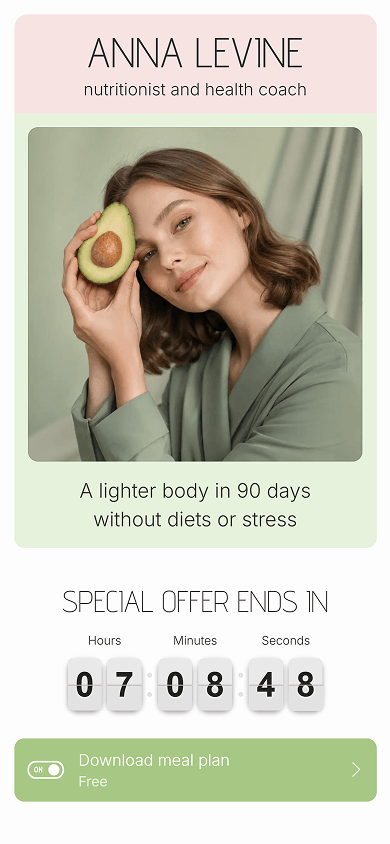
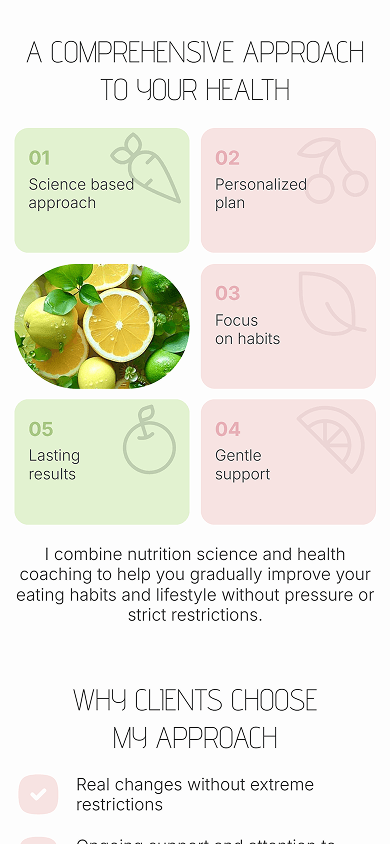
- Pastel cards and playful details (screenshots 1–3): A green section frames the portrait and introduction. Pink and green cards organize the coach’s approach. Taplink lets you set a background for each section. Its Custom block lets you build cards with numbers, illustrations, and photos. These options go beyond Lnk.Bio’s page background and preset link layouts. Rounded corners, thin headings, and matching buttons complete the fresh look and make the page easy to scan.
You can turn any example above into your own page using Taplink as an Lnk.Bio alternative. Here’s how:
- Sign up for Taplink: Create an account to start building your page.
- Choose a template: Follow the template link below the example you like. Or pick any other template from the library.
- Add your content: Replace the sample text, photos, and links. Update prices and contact details. Add what you need and delete anything that doesn’t fit.
- Customize the design: Adjust the colors, fonts, and backgrounds to match your business, or pick a pre-made theme.
- Publish your page: Create your page address and confirm publication.
These Lnk.Bio-style examples show how design and content can work together to showcase your business. With Taplink, you can help visitors compare offers, explore your work, and find the details they need.
Choose a template from this article, add your content, and customize the design. You’ll have a page that fits your business and is ready to share.