Stan Store examples: 14 ideas beyond the basic store

- How the Stan Store examples below were made
- Nutrition specialist’s Stan Store-style website example
- Online course’s Stan Store-style website example
- Custom dressmaker’s Stan Store-style website example
- Yoga instructor’s Stan Store-style website example
- Musician’s Stan Store-style website example
- Asia travel guide’s Stan Store-style website example
- Digital marketer’s Stan Store-style website example
- Tour operator’s Stan Store-style website example
- Fitness trainer’s Stan Store-style website example
- Beauty salon’s Stan Store-style website example
- Photographer’s Stan Store-style website example
- Health coach’s Stan Store-style website example
- Stock content creator’s Stan Store-style website example
- Preset creator’s Stan Store-style website example
- How to create a Stan Store-style page in Taplink
- Option 1: Start with a template
- Option 2: Create a page with AI
- The bottom line
The examples in this article were created with Taplink. It’s an online store builder and an alternative to Stan Store. We use Taplink because it combines a lower price with more ways to structure and customize a page. It also lets you sell digital products and services without paying Taplink a sales commission.
One of the main differences is the cost. Stan Store has two paid plans for $29/month and $99/month. Taplink’s top-tier Business plan lets you sell digital content and services for $8/month. This lets you build and monetize a page with a lower subscription cost.
The lower price doesn’t mean fewer options. Taplink lets you create pages that go beyond the standard Stan Store format. Taplink offers you:
- 📝 More content options: Taplink gives you more ways to organize information and build a page around your content, not just your products. Beyond the content options available in Stan Store, Taplink offers FAQs, pricing plans, price lists, standalone images, image carousels, maps, and countdown timers.
- 🎨 More design flexibility: You can create a page that better matches your brand and content. Taplink lets you customize backgrounds, fonts, buttons, sizes, spacing, and other visual elements.
The examples below show how these options work across pages for different creators and businesses. You’ll see how Taplink combines content and sales on one page, with more layout and design options.
Each Stan Store-style page example is shown in several screenshots for easier viewing.
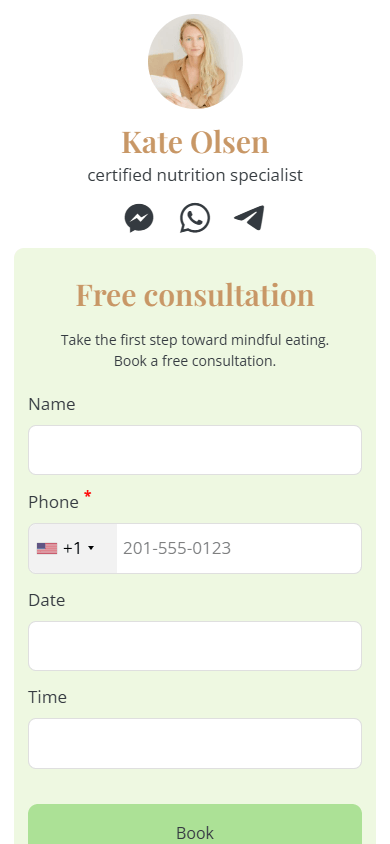
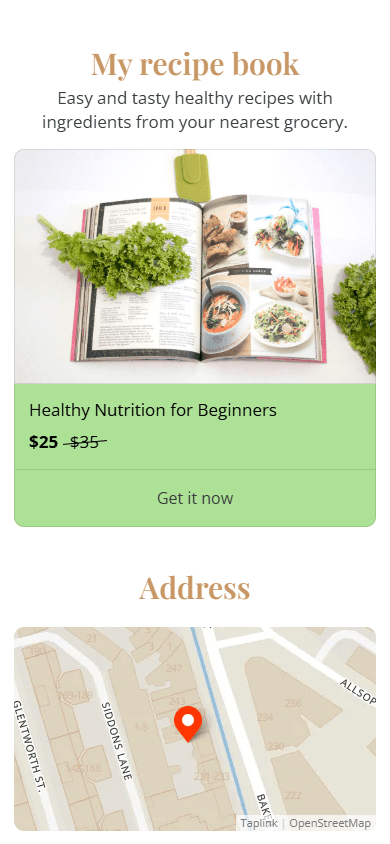

Key features & advantages:
- Digital download (screenshots 2 & 3): Displays the recipe book on the main page (screenshot 2). Clicking it opens a dedicated product page (screenshot 3) with a customizable title, price, and downloadable file. See the product page. Taplink also charges no sales commission and supports 60 payment providers. The plan that includes digital product sales costs just $8/month.
- Interactive map (screenshot 2): Embeds a map with a pin marking the location. This works well for creators who offer in-person consultations along with digital products. They can show their location without sending visitors to another site.
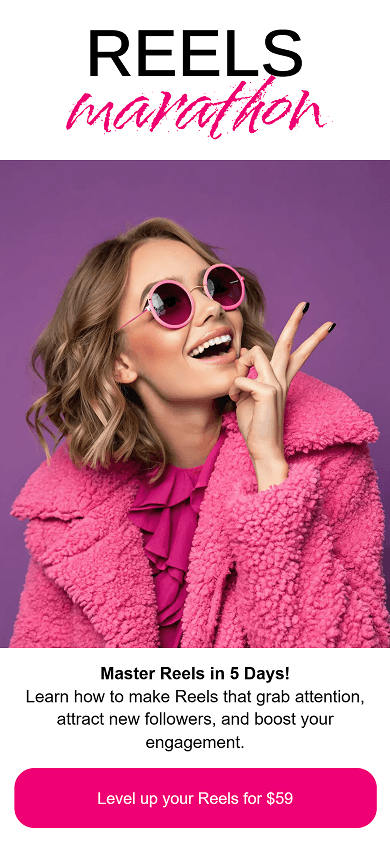


Key features & advantages:
- Creative fonts (screenshot 1): Combines colorful handwritten accents, such as the pink “marathon” lettering, with bold, contrasting headings. This creates a dynamic visual style and gives the page more branding options than Stan Store’s standardized font selection.
- Individual images (screenshots 1 & 2): Uses full-width hero banners and rounded mentor portraits throughout the page. This creates a richer hero section and author bio. In Stan Store, images are limited to small product card thumbnails.
- FAQ block (screenshot 3): Turns collapsible dropdowns into an interactive 5-day syllabus. Visitors can expand each day to see the lesson details. This keeps the program organized without making the page too long.
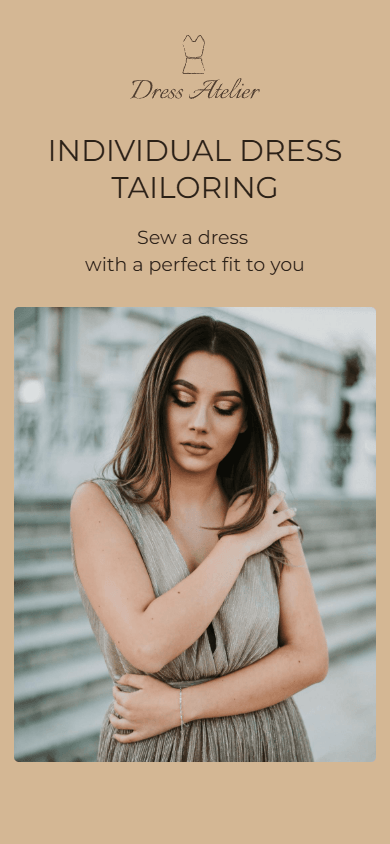
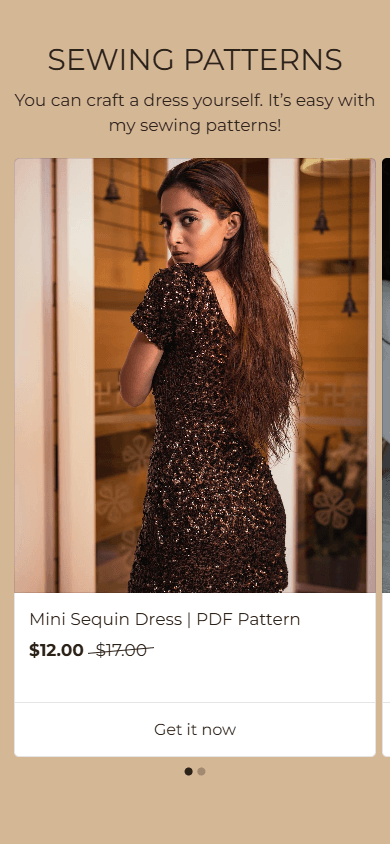

Key features & advantages:
- Image (screenshot 1): Uses a full-width photo to showcase custom dressmaking services. This creates visual layout options that aren’t available in Stan Store’s standard feature set.
- Media and text (screenshot 3): Pairs each customer review with an icon and the client’s name. This gives the dressmaker a clear way to show feedback from past clients and build trust in its tailoring service.
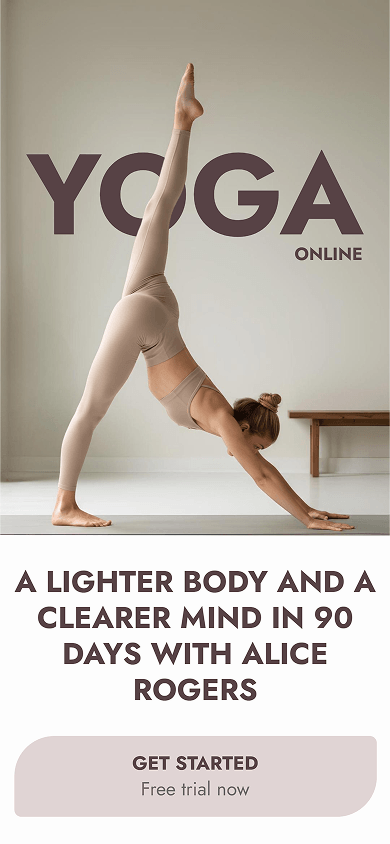
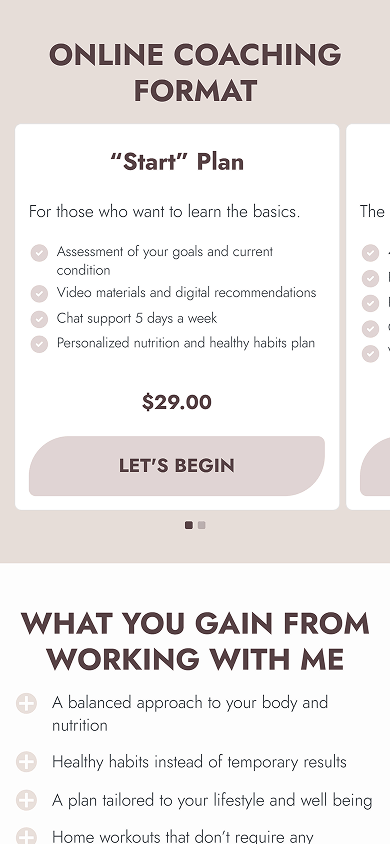

Key features & advantages:
- Button design settings (screenshots 1, 2, & 3): Uses asymmetrical corner rounding to match the wellness theme. This creates a distinctive button style that Stan Store’s uniform designs don’t offer.
- Pricing plans section (screenshot 2): Presents service tiers in structured cards. Checkmarks, clear prices, and call-to-action buttons make the packages easy to scan and compare.
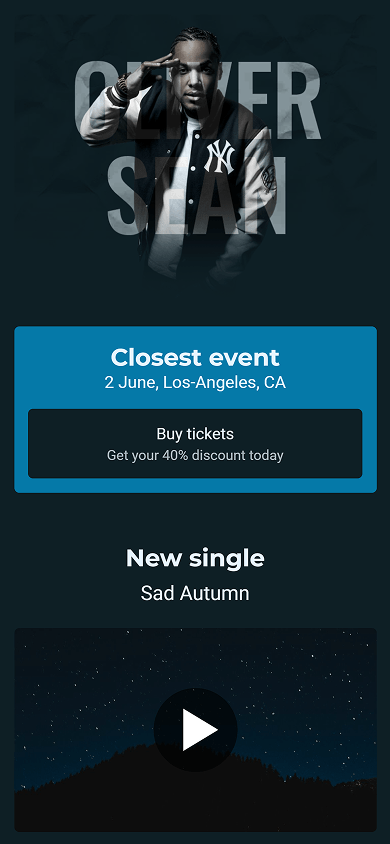
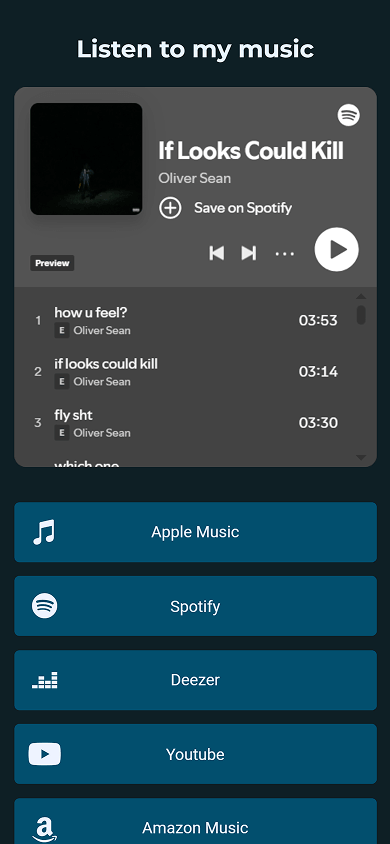

Key features & advantages:
- Embedded Music block (screenshot 2): Lets visitors listen to the artist’s tracks directly on the link-in-bio page. While Stan Store only supports Spotify, Taplink supports music players from more than 17 streaming services. They include Apple Music, SoundCloud, Deezer, and many others.
- Interactive map (screenshot 3): Embeds an interactive map so visitors can see the venue’s location directly on the page. Visitors can see where upcoming events will take place without leaving the page.

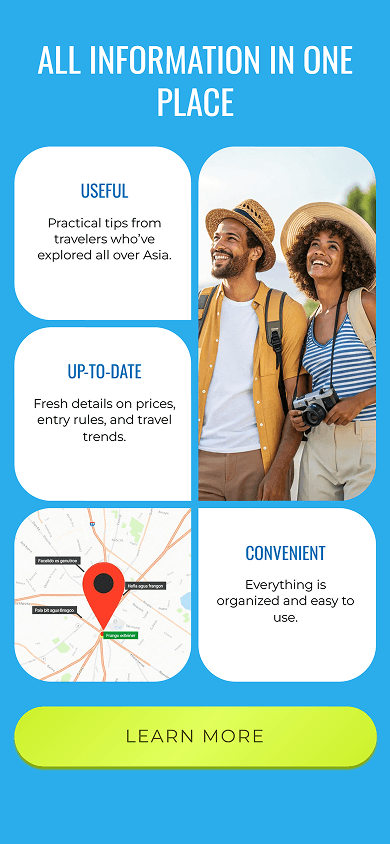

Key features & advantages:
- Custom block (screenshot 1): Combines three overlapping circular photos of India, Thailand, and Vietnam with a section heading. This creates a custom header layout that Stan Store’s standard format doesn’t support.
- Section (screenshot 2): Highlights the features in a full-width bright blue background. This separates the key information from the rest of the content and adds custom section styling that Stan Store doesn’t offer.
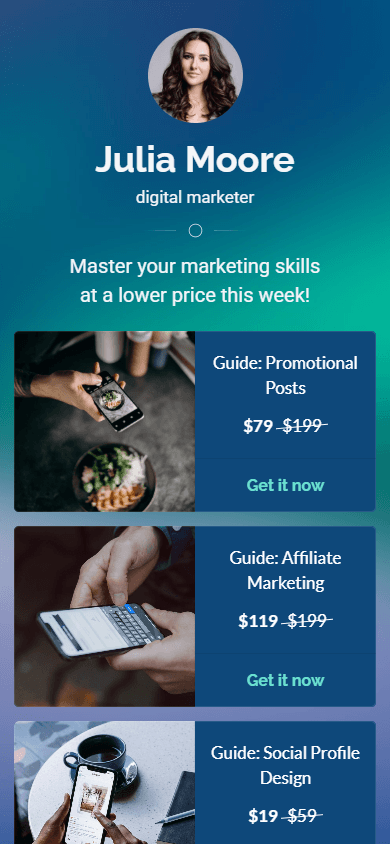
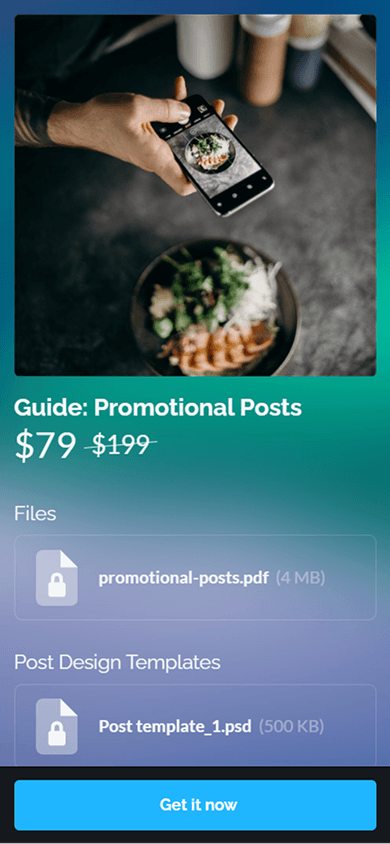

Key features & advantages:
- Digital product (screenshots 1 & 2): Displays digital guides in custom cards, with original and discounted prices (screenshot 1). Clicking a card opens a dedicated product page (screenshot 2). Creators can attach multiple files in different formats, including PDF and PSD. Check the product page.
- FAQ block (screenshot 3): Uses the FAQ block in an unconventional way to present target audience criteria, course selection advice, and program details. This keeps the information compact and reduces the amount of scrolling.
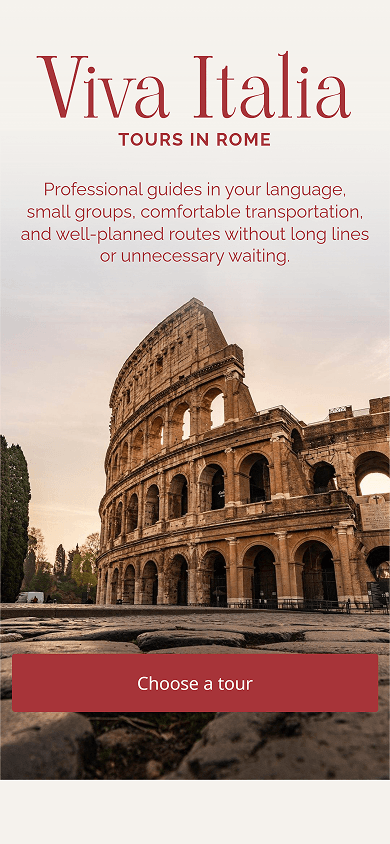
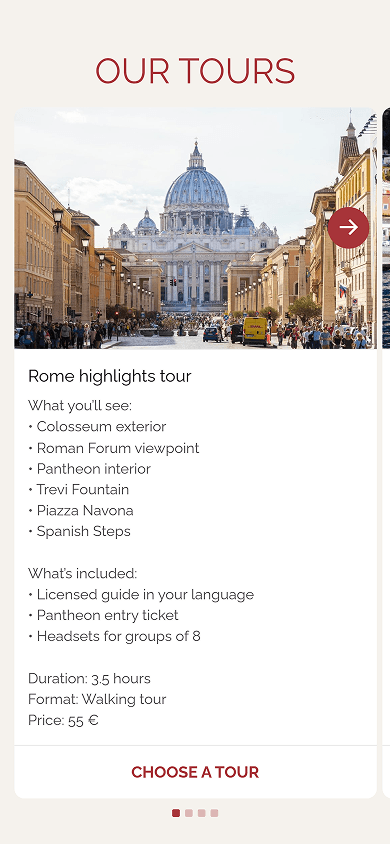

Key features & advantages:
- Image carousel (screenshot 2): Displays tour options in an interactive slider with pagination. Each card includes destination photos, bullet points, duration, price, and an action button. This lets you show several travel packages in one compact section instead of creating a long vertical list.
- FAQ block (screenshot 3): Organizes group sizes, what’s included, and cancellation policies into collapsible accordion tabs. This saves space and keeps the page clean.
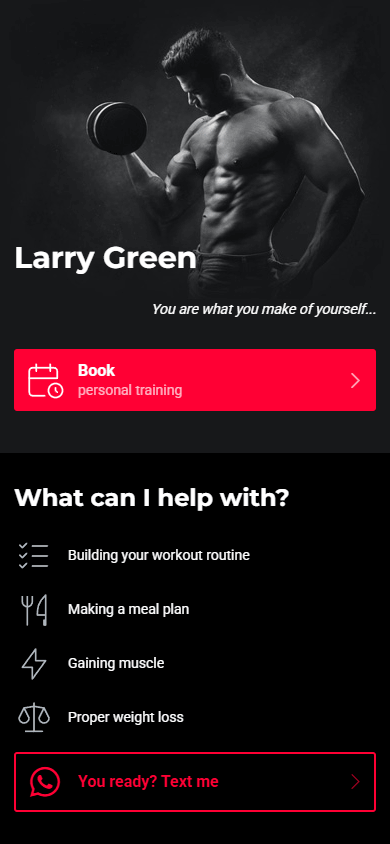

Key features & advantages:
- Image block (screenshot 1): Uses a full-width header banner to introduce the trainer’s personal brand. It creates a stronger visual impact than Stan Store’s standard small profile pictures.
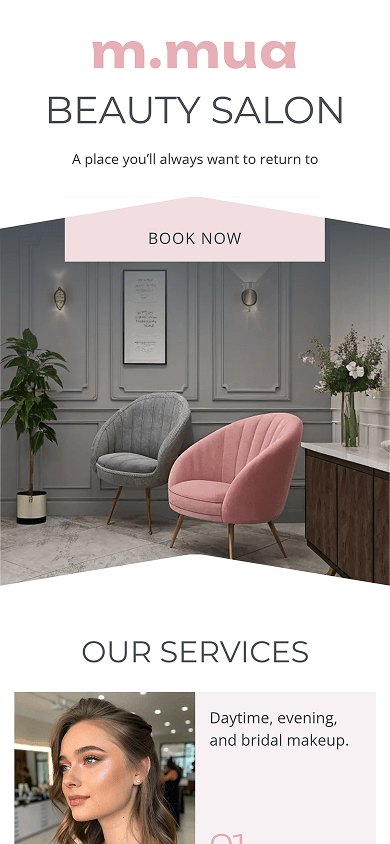

Key features & advantages:
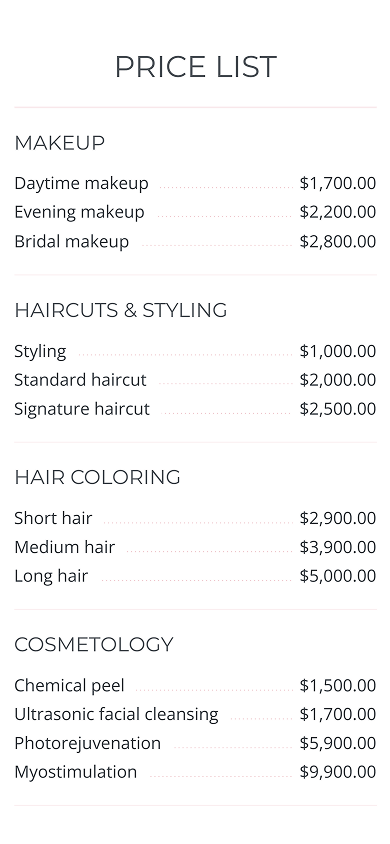
- Price list section (screenshot 2): Presents services and their prices in a clear, easy-to-scan format. Dot leaders connect each service with its price, making the full list easier to read than a series of individual product cards.
- Map block (screenshot 3): Adds the salon’s location to the page right after the opening hours. Visitors can see where the salon is located as they check when it’s open, without having to open a separate map.

Key features & advantages:
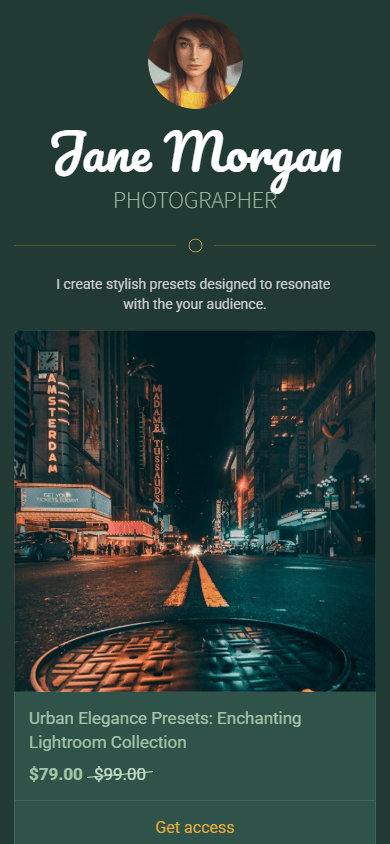
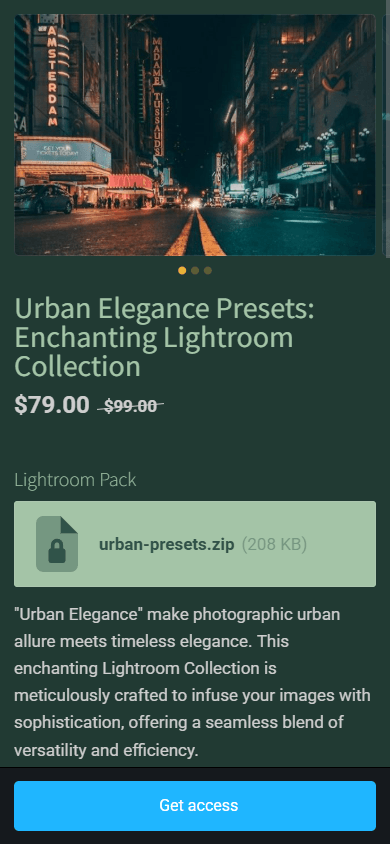
- Digital product (screenshots 1 & 2): Lets creators sell digital files and presets and display them as a carousel or grid on the main page. The dedicated product page in screenshot 2 is also customizable. You can change title colors, price font sizes, and block styling — flexibility that Stan Store’s standard layouts don’t offer. View the photographer’s product page.
- Media and text (screenshot 3): Presents the workflow as a numbered list. It combines visual icons with detailed descriptions, so visitors can quickly understand each step. Stan Store’s uniform layouts don’t support this format.
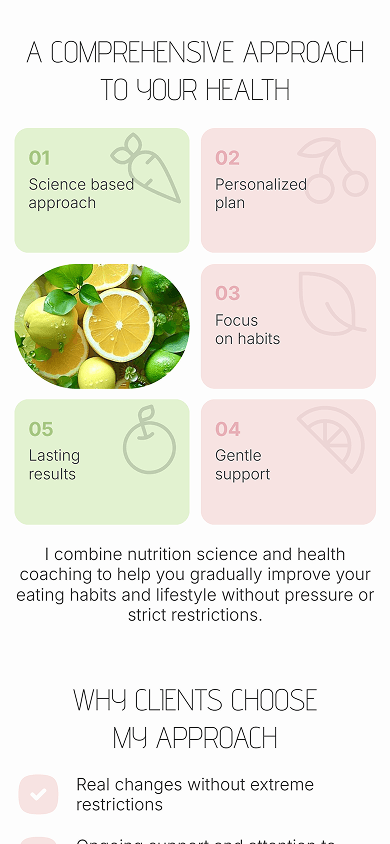

Key features & advantages:
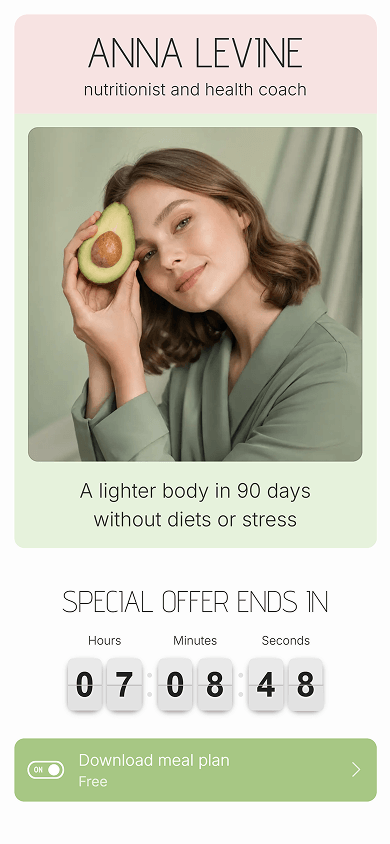
- Individual image (screenshot 1): Places a high-quality portrait banner in the header. It establishes the creator’s personal brand before visitors reach the offers.
- Countdown timer (screenshot 1): Shows a live countdown for time-sensitive offers. It can create urgency and encourage visitors to download free meal plans. Stan Store doesn’t offer this feature natively.
- Custom block (screenshot 2): Creates a multi-column visual grid with numbered tiles, custom icons, and framed photos. This gives you more layout flexibility than Stan Store’s rigid product list.
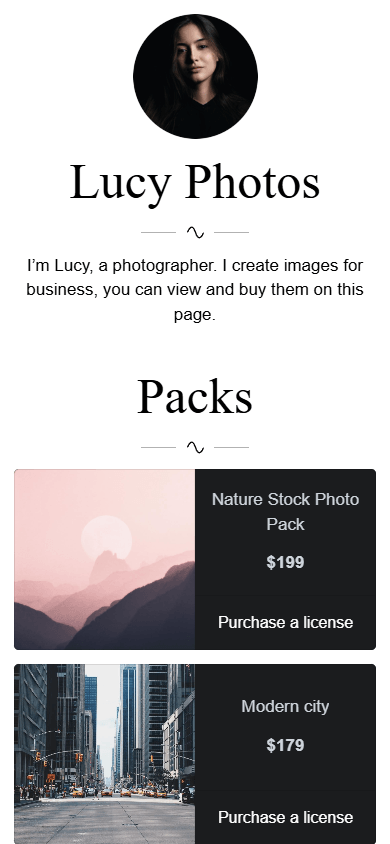

Key features & advantages:
- FAQ block (screenshot 2): Answers common client questions about the number of photos, purchases, licensing rights, and custom requests. The collapsible dropdowns keep this information compact and make the page easy to navigate.
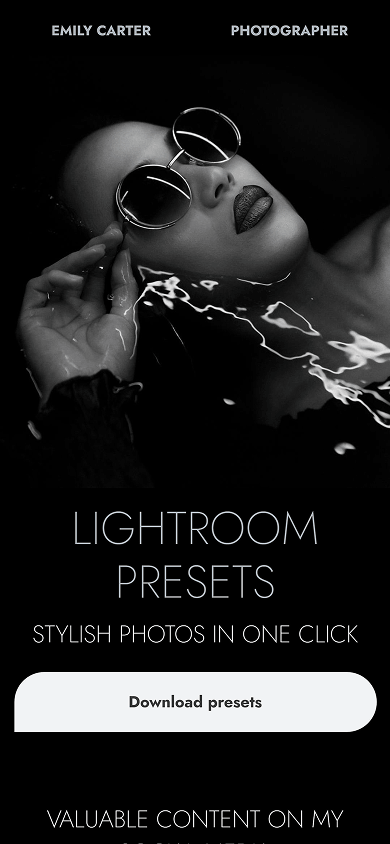
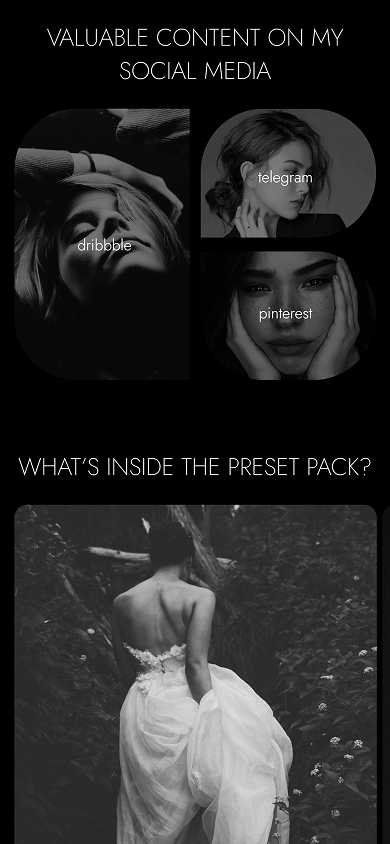

Key features & advantages:
- Image carousel (screenshot 2): Shows sample photos in the “What’s inside the preset pack?” section with an interactive slider. Visitors can browse the photo previews without leaving the page.
- Custom block (screenshot 3): Combines a four-photo grid with a full-width price tag and call-to-action button. This creates a custom product layout that goes beyond Stan Store’s standard store structure.
Taplink gives you two simple options to build a page similar to the Stan Store format. Start with a ready-made template and adapt it to your needs, or use AI to automatically generate a page.
Use a template if you want a ready-made page structure to customize. To get started:
- Sign up on Taplink.
- Choose one of the templates above or find a suitable option in the template library.
- Replace the sample text and images with your own content.
- Add or remove blocks to match your page structure.
- Adjust the page design.
- Publish your finished page.
🛒 Read how to add and customize digital products.
Taplink’s AI builder can generate a starting point based on a description of your business or project. You can then fine-tune the generated page in the editor:
- Sign up for Taplink and open the AI builder.
- Describe your business and the content you want on the page.
- Review the generated content and edit the sections.
- Add, remove, or rearrange blocks.
- Customize the design.
- Publish the page.
🛒 Find out how to add digital products to the page.
Stan Store provides a simple format for combining offers, links, and sales tools on one page. The examples in this article show how you can expand that format with different layouts, content blocks, and visual elements. Taplink gives you the tools to create a page in this style without being limited to a standard store layout. Start from a template or AI-generated page, add the blocks you need, and customize the design to match your brand.