7 best mobile website builders: features, pros & cons

- TL;DR
- 1. Taplink
- Features
- Pros
- Cons
- Pricing
- 2. Milkshake
- Features
- Pros
- Cons
- Pricing
- 3. Universe
- Features
- Pros
- Cons
- Pricing
- 4. Shopify
- Features
- Pros
- Cons
- Pricing
- 5. Wix
- Features
- Pros
- Cons
- Pricing
- 6. Squarespace
- Features
- Pros
- Cons
- Pricing
- 7. Weebly
- Features
- Pros
- Cons
- Pricing
- FAQ
- Are there free mobile website builders?
- How to create a mobile website?
- Does mobile optimization affect SEO?
- Can I connect a custom domain to my mobile website?
- Are there limits on the number of pages in a mobile website?
The table below provides a quick overview of all the website builders covered in this article.
| 🎯 Best for | ✨ AI | 🎁 Free plan | 💲 Paid plans | |
| Taplink | Influencers, creators, and small businesses that promote themselves through social media and want to build a funnel-style website for converting followers. Works for both beginners and advanced users. | ✅ | ✅ | $4–8/month |
| Milkshake | People who promote themselves on social media and don’t mind swipeable cards instead of standard scrollable pages | ❌ | ✅ | $2.99–29.99/month |
| Universe | Small business owners and creators with design skills who can create cohesive websites using the grid editor | ✅ Generates only images and text | ✅ | $6–499.9/month |
| Shopify | Online sellers running either small or large businesses who need a wide range of e-commerce features | ✅ | ❌ | $29–2,300/month |
| Wix | People looking for an all-purpose website builder and are willing to deal with a more complex interface and setup | ✅ | ✅ | $17–159/month |
| Squarespace | Photographers, designers, and bloggers who want to create a blog or a website with a strong visual focus | ✅ | ❌ | $16–99/month |
| Weebly | Square users as they can manage both their site and payments from one dashboard | ❌ | ✅ | $13–32/month |
Mobile websites matter more today than desktop websites:
- 60–70% of traffic comes from mobile devices: If a website doesn’t display properly on phones or doesn’t have a mobile version, visitors simply leave.
- A mobile version impacts SEO: Google itself states that it uses mobile-first indexing, so it checks the mobile version first and treats the desktop version as secondary.
- Users take action on phones: Instead of browsing, they usually call, purchase, or book right away. Studies from Electronic Commerce Research and Applications, plus data from Google and Nielsen, support this.
The conclusion is that mobile websites should be the main interaction channel, while desktop websites should only support them.
Website builders adjusted to new realities. Some build mobile-first websites, meaning they design them for mobile devices from the start. Others build desktop-first websites that are mobile-responsive.
Below, we’ll take a look at the 7 best website builders for mobile websites. We’ll explain their differences and what they’re best suited for, so you can pick the right option for your needs.
Taplink is a website builder for influencers, creators, and small businesses that promote themselves on social media. It began as a link in bio tool that redirected social media traffic to other platforms. Now, it also supports mobile website creation, although social media still remains its main focus. With Taplink, you can quickly create a funnel-style homepage for converting followers, with sections like an offer, advantages, portfolio, testimonials, and an action button.
Taplink homepage

Taplink fits both beginners and users with web design experience.
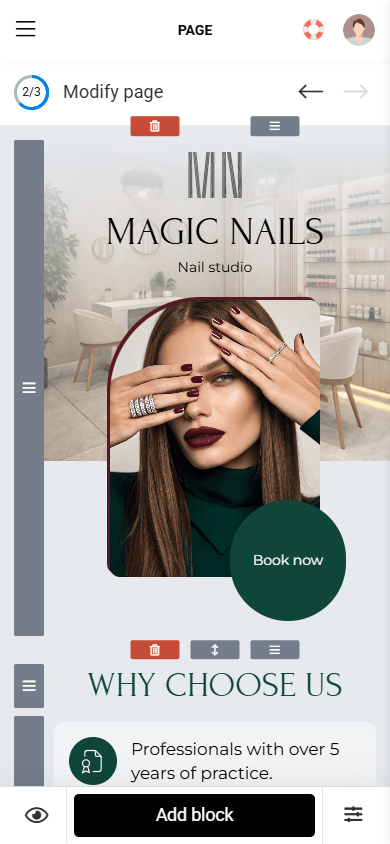
The core website-building approach is a block system. You simply add blocks one below another, like text, images, videos, forms, buttons, etc.
For more advanced designs, Taplink uses a built-in graphic editor called the Custom block. It works as a canvas where you can place elements freely, resize, move, and overlap them.
You can create a website in three ways:
- Using AI: Describe your business, and Taplink generates a ready-to-use homepage in 15 seconds.
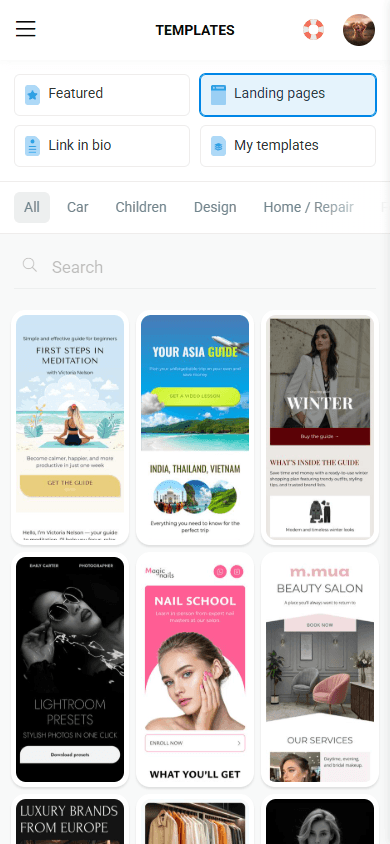
- Using a template: Choose from 100+ options. After choosing one, you can edit the text manually or generate it with AI.
- From scratch: Create both the content and the design on your own.
Templates, website editor, and design settings in Taplink

All Taplink features are available in the browser version, so you don’t need to install a separate app. More about Taplink.
- Creates mobile-first websites.
- AI website generator.
- 100+ templates in 15 languages.
- Built-in graphic editor for creative custom designs.
- Features for selling digital products: separate product pages, checkout, 60+ payment gateways, and discount codes.
- 20+ integrations for analytics, marketing, ads, and sales, such as Google Analytics, Mailchimp, Facebook and TikTok Pixels, etc.
- SEO settings.
- ✅ No need to download an app — Taplink works in a browser.
- ✅ No payment acceptance commission.
- ✅ Free plan available.
- ✅ Affordable paid plans.
- ❌ On desktops, the website may look like an enlarged mobile version.
- ❌ The free plan includes fewer features.
- ❌ AI generates only a homepage.
- Basic: $0.
- Pro: $4 per month.
- Business: $8 per month.
More about Taplink pricing plans.
Milkshake is the easiest mobile website builder in this list. Like Taplink, it fits users who promote themselves through social media.
Milkshake homepage

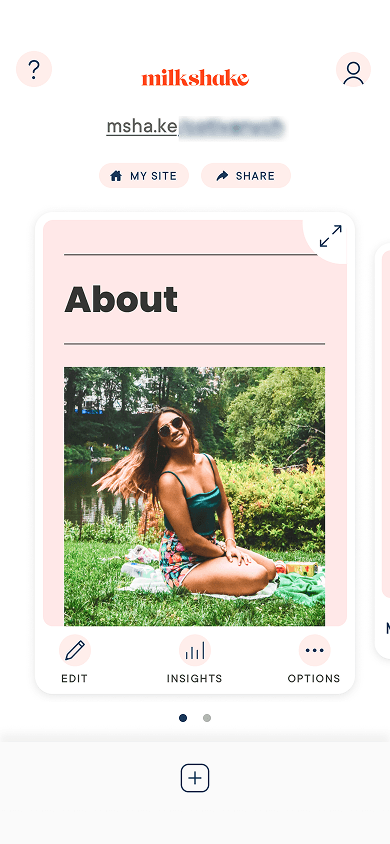
Milkshake stands out because it uses cards instead of a scrollable page. Visitors swipe left and right to navigate between them.
The cards look different and may attract attention. But there’s also a downside — people are used to scrolling down, not sideways. Because of this, they may miss important information.
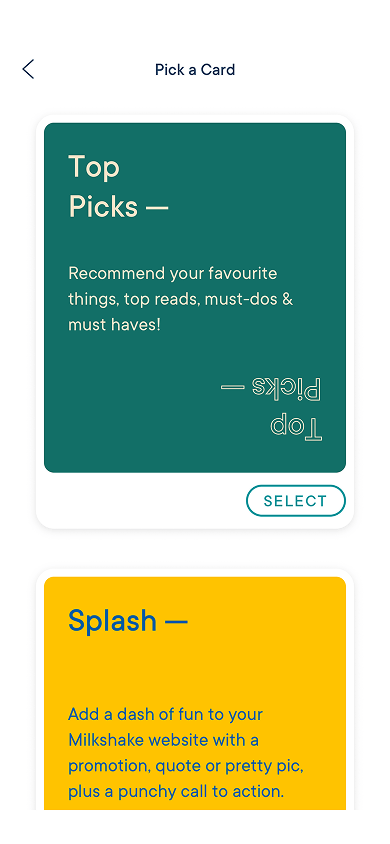
Card templates, card editor, and design settings in Milkshake

Milkshake only works as an iOS and Android app — you can’t create websites in a browser.
- Creates mobile-first websites.
- Creates cards instead of standard pages.
- 96 templates.
- Google Analytics and Facebook Pixel integration.
- SEO settings.
- ✅ Fast and simple website creation.
- ✅ Free plan available.
- ✅ Feature-rich free plan.
- ✅ Affordable paid plans.
- ❌ Cards look too small on desktop screens.
- ❌ Limited content formats. They include text, buttons, images, YouTube videos, and a subscription form.
- ❌ Limited design settings. You can change background color, text color, and font.
- ❌ No built-in monetization features.
- ❌ The card format may feel unnatural to site visitors.
- Free: $0.
- Lite: $2.99 per month.
- Pro: $5 per month.
- Pro+: $28.33 per three months only (which is $10 per month).
Universe is a more complex website builder than Taplink and Milkshake.
Universe homepage

Universe uses a grid-based canvas. It’s similar to Taplink’s Custom block, but here you need to build the entire website using it — there’s no other option.
A grid-based canvas gives you more control over design and allows for complex layouts. But it also has a downside: people without design experience may find it difficult to use.
Universe includes 100+ ready-made templates, and they make the process easier — you just replace the text and images with your own. But keep in mind that every element still requires individual adjustment in size, style, and placement.
Templates, website editor, and content blocks in Universe
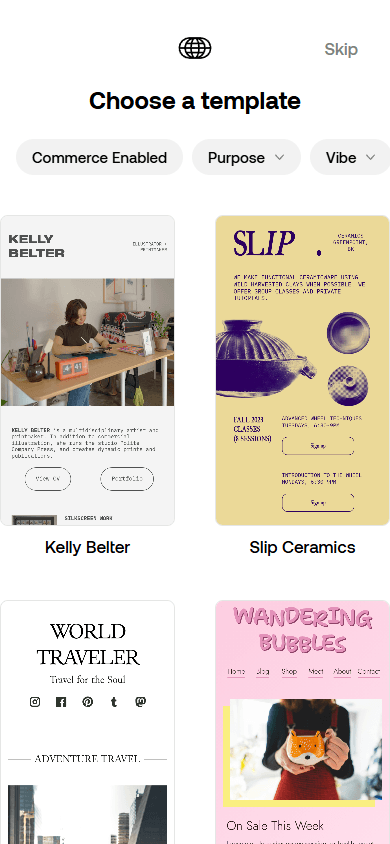


Universe is available in a browser and as an iOS app.
- Creates mobile-first websites.
- AI for image and text generation.
- Fully flexible grid-based canvas.
- 100+ templates.
- E-commerce features: separate product pages, checkout, discounts, payout delay, and payment acceptance through Apple Pay and PayPal.
- Google Analytics and Meta Pixel integration.
- SEO settings.
- ✅ Free plan available.
- ✅ Feature-rich free plan.
- ✅ Visually attractive templates.
- ❌ On desktops, the website may look like an enlarged mobile version.
- ❌ The app is only available on iOS.
- ❌ Payment acceptance commission up to 5%, depending on the plan.
- Free: $0.
- Base: $6 per month.
- Pro: $16.67 per month.
- Complete: $499.9 per month.
Shopify is fully built for e-commerce. It works more as a sales management platform that uses the website as a storefront for products and services. It fits both small and large online stores.
Shopify homepage

You can sell both digital and physical products, as well as subscriptions, through Shopify. You can add unlimited products, manage orders, set up shipping and tracking, and accept payments from customers around the world.
One of Shopify’s key features is multi-channel commerce. It allows its users to sell not only through their website, but also via Instagram, Facebook, TikTok, and marketplaces. All products and data are synced in a single system.
Themes, website editor, and section settings in Shopify
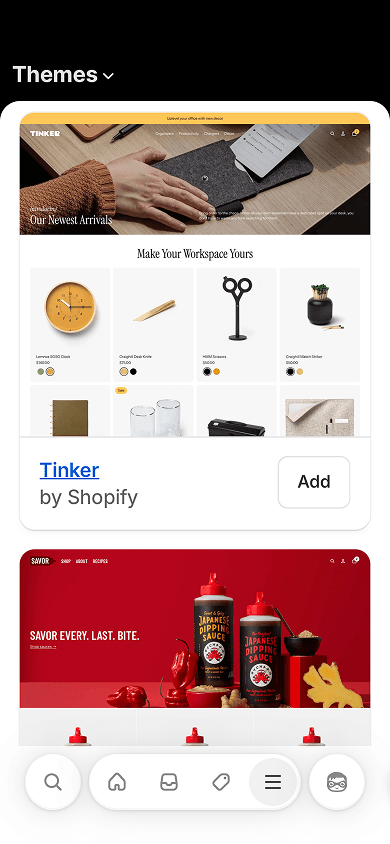
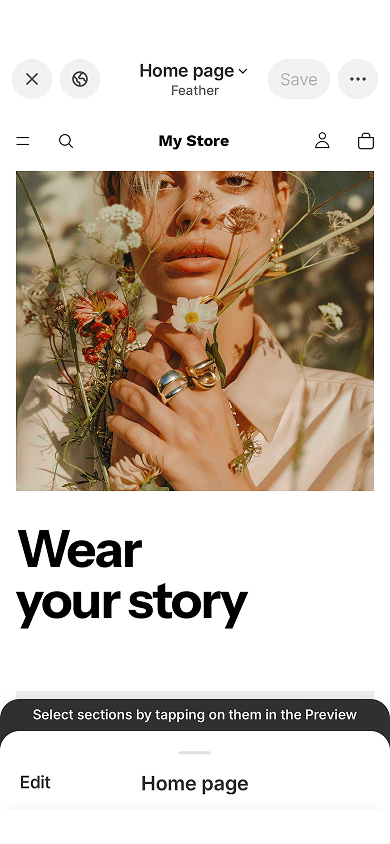

Shopify is available in a browser and as an app for Android and iOS. The app lets you create and edit a store, manage orders, segment customers, run marketing campaigns, and view website analytics.
- Creates desktop-first websites that automatically adapt to phones.
- AI for website, text, and image generation.
- 1000+ templates, including paid and free options, but only around 20 are free.
- Large set of e-commerce tools: product, service, and subscription sales; checkout, 500+ payment gateways, abandoned cart recovery, discount codes, multi-channel selling, shipping tools and shipping labels, POS, inventory management, customer segmentation, market-based pricing, and more.
- Shopify App Store with 16,000 integrations for sales, design, store management, and marketing.
- SEO settings.
- ✅ Works for online stores of any size.
- ✅ Supports worldwide payments through 500+ payment gateways.
- ✅ The cheapest plan is feature-rich.
- ❌ No free plan available.
- ❌ Expensive plans.
- ❌ Payment acceptance commission up to 2.9%, depending on the plan.
- Basic: $29 per month.
- Grow: $79 per month.
- Advanced: $299 per month.
- Plus: $2,300 per month.
Wix is probably the most versatile website builder in this list. But this also comes with both advantages and disadvantages.
Wix homepage

Wix works well for creating portfolios, online stores, and blogs. But this flexibility has a trade-off — for each purpose, it has a basic set of features. For example, while you can build an online store, it won’t match Shopify in e-commerce functionality.
Wix strongly focuses on AI. It doesn’t just generate websites from prompts; it can also change layouts and themes, write text, and create images through them. Wix also has an AI assistant that can give advice on website design.
Templates, website editor, and image settings in Wix
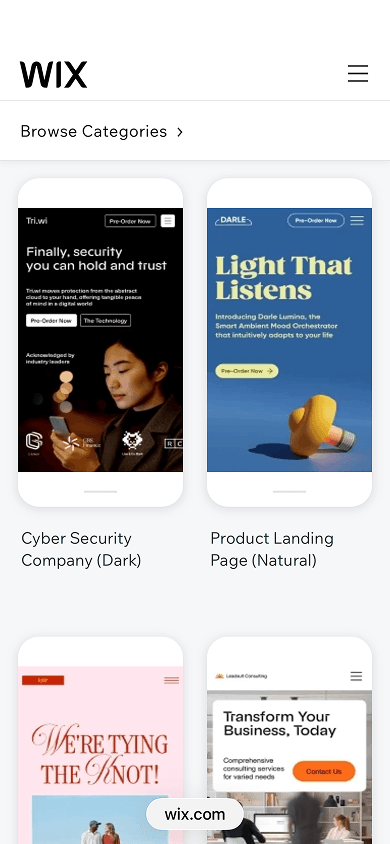
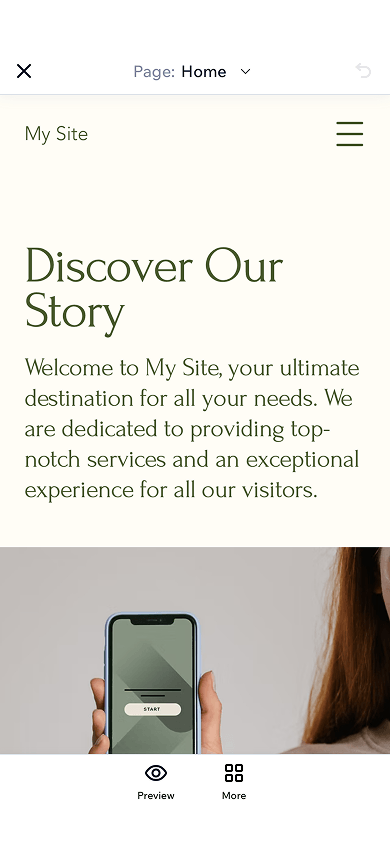

Wix has a mobile app for iOS and Android. But it mainly supports site management: analytics, payments, and domain setup. You can’t fully customize your website in the app — layouts, sections, advanced design tools, and some SEO and marketing settings are only available on desktop. You can only edit a site in the app after publishing it from a desktop.
- Creates desktop-first websites that automatically adapt to phones.
- AI for website, text, and image generation.
- 2000+ templates.
- E-commerce features: product and subscription sales, checkout, abandoned cart recovery, loyalty programs, automatic tax calculation, and more.
- Wix Marketplace that allows you to hire experts for website building, redesign, migration, promotion, and SEO optimization.
- SEO settings.
- ✅ No payment acceptance commission.
- ✅ Strong design flexibility.
- ✅ Free domain for one year.
- ❌ Not all features are available in the mobile app.
- ❌ More complex and cluttered interface compared to other builders in the list.
- ❌ Wix websites often load more slowly than those of competitors, especially mobile versions.
- Free: $0.
- Light: $17 per month.
- Core: $29 per month.
- Business: $39 per month.
- Business Elite: $159 per month.
Squarespace is a website builder focused on modern, minimalist designs. It works great for portfolios or blogs.
Squarespace homepage

You can build a site using around 200 templates. Or using AI. But keep in mind that, once the site is generated, you’ll likely need to edit the text quite heavily, since AI mainly builds the site structure and overall design direction.
Squarespace offers many tools for blogging and content management. The blog supports categories and tags, which help organize content by topic. It also includes a post scheduler, multi-author support, comments, and RSS feeds for podcasts.
Templates, website editor, and style settings in Squarespace
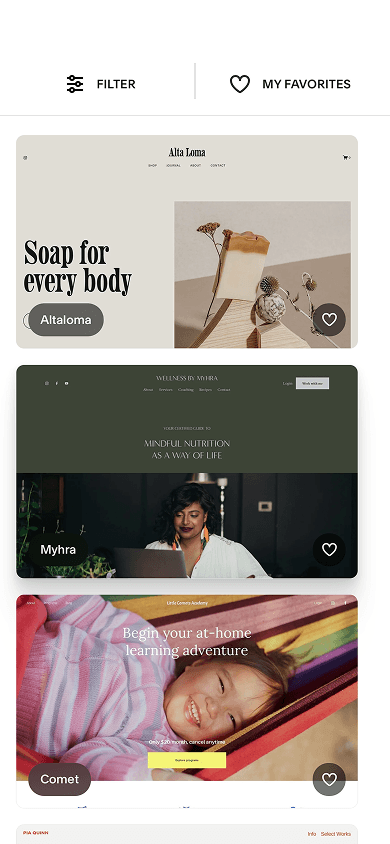
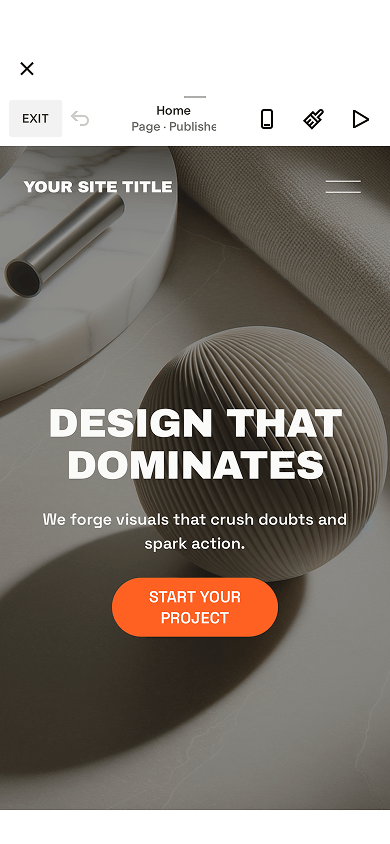

Squarespace has apps for iOS and Android. In the app, you can do almost everything, including reviewing analytics, managing payments, editing content, and adjusting site design.
- Creates desktop-first websites that automatically adapt to phones.
- AI website generation, but the text requires editing.
- Around 200 templates.
- Blogging tools: post scheduling, multi-author support, comments, podcast RSS feeds.
- E-commerce tools: product and subscription sales, checkout, abandoned cart recovery, POS, automatic tax calculation, and more.
- SEO settings.
- ✅ Modern designs that you can freely customize.
- ✅ 14-day free trial available.
- ❌ No free plan available.
- ❌ Payment acceptance commission up to 3%, depending on the plan.
- Basic: $16 per month.
- Core: $23 per month.
- Plus: $39 per month.
- Advanced: $99 per month.
Weebly is a simple website builder for small businesses with a focus on sales. However, compared to Shopify, its e-commerce and scalability features are more limited.
Weebly homepage

Weebly is part of the Square ecosystem, not a standalone product. This is convenient if you already use Square, since you can combine online and offline sales and manage everything in one place.
The website editor itself is beginner-friendly. There are not so many design settings, so it’s easy to use even if you’ve never used website builders before.
Styles, website editor, and design settings in Weebly
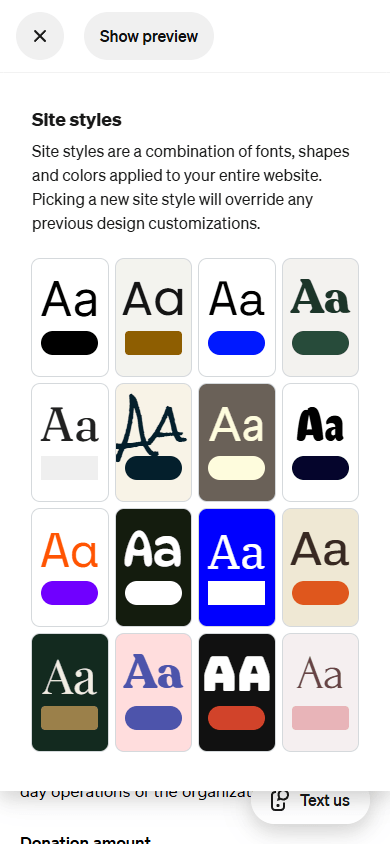
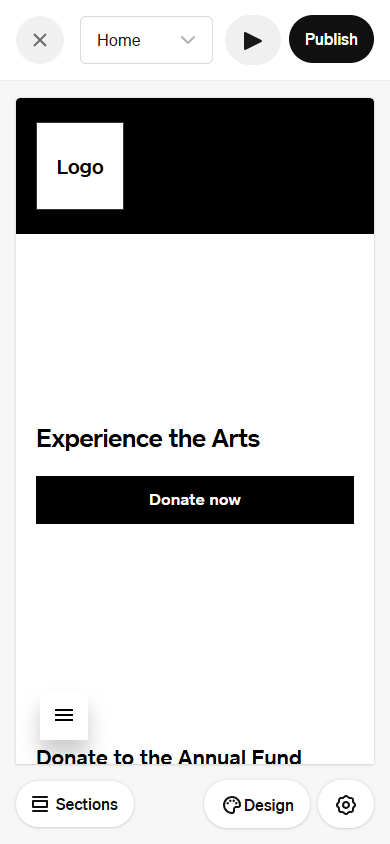

Weebly has no standalone app — it’s available in the Square app. There, you can create and manage your site, view analytics, handle orders and customers, and use Square tools.
- Creates desktop-first websites that automatically adapt to phones.
- Around 50 templates.
- E-commerce tools: checkout, automatic tax calculation, discounts, abandoned cart recovery.
- Square ecosystem integration.
- Integrations for e-commerce, marketing, communication, and social media.
- SEO settings.
- ✅ Convenient for Square users — you can manage both the website and sales from one place.
- ✅ No payment acceptance commission.
- ✅ Free plan available.
- ❌ No AI available.
- ❌ Many users report unstable editor behavior, including page deletion and glitches.
- Free: $0.
- Personal: $13 per month.
- Professional: $15 per month.
- Performance: $32 per month.
There is no single best or worst mobile website builder among the ones reviewed. Each one solves specific tasks and fits different goals.
To sum everything up and make your choice easier, refer to the table at the beginning of the article. It includes key details about each mobile website builder, including who it’s best for, whether it has AI for quick website creation, whether there is a free version, and how much the paid plans cost.
Yes, but free plans only offer basic features. Here are the builders offering free plans:
- Taplink: You can add text, buttons, FAQ sections, reviews, advantages, work stages, a map, use the built-in graphic editor, choose from 200+ design themes, and customize individual elements.
- Milkshake: You can add text, buttons, images, YouTube videos, and a subscription form, and also adjust background color, text color, and font.
- Universe: You can add text, buttons, videos, forms, and a map, and also customize background, fonts, button colors, and the layout of some elements.
- Wix: You can add text, images, videos, graphics, forms, menus, popups, and buttons, and also customize design and SEO, and use images and videos from the Wix library.
- Weebly: You can add text, buttons, images, forms, videos, PDFs, a map, RSS feeds, products, and accept payments. In design settings, you can change the site style, element layout, colors, and fonts.
The website creation process is different for each builder. We’ll use Taplink as an example. First, create an account. After that, you have two options: use a template or generate a site with AI.
To create a website with a template:
- Choose a template.
- Generate the website text with AI or edit pre-made text manually.
- Add images and button actions.
- Adjust the design if needed.
- Publish your website.
Step-by-step guide on how to create a Taplink website using a template.
To generate a website with AI:
- Open the website generator and describe what you do.
- Set the color scheme, sections, and edit the text if needed.
- Add images and button actions.
- Adjust the design in more detail if needed.
- Publish your website.
Step-by-step guide on generating a Taplink website with AI.
Yes, directly. Google primarily uses the mobile version of a website for indexing. If the mobile version is broken or missing, search rankings drop. User behavior also matters. If people find a site hard to use on their phones, they’ll leave. This hurts behavioral signals and also lowers rankings.
Yes, you can. All the mobile website builders we reviewed support custom domains. Some of the builders offer to buy a domain right from them. These include Universe, Wix, Squarespace, Shopify, and Weebly. With Taplink and Milkshake, you need to buy a domain from a third-party provider and then connect it to your site. How to connect a third-party domain in Taplink.
It depends on the website builder. Here are the page limits for the builders covered in this article:
- Taplink: Up to 512.
- Milkshake (number of cards): Unlimited.
- Universe: Unlimited.
- Wix: Up to 298.
- Squarespace: Up to 1000.
- Shopify: Unlimited.
- Weebly: Unlimited.