9 AI prompts to create a website in 10 seconds

- How to write your own prompt for accurate website content
- Ready-to-use AI prompts for creating a website
- AI prompt for a realtor website
- AI prompt for a designer website
- AI prompt for a restaurant website
- AI prompt for an e-commerce website
- AI prompt for a service business website
- AI prompt for a portfolio website
- AI prompt for a photographer’s website
- AI prompt for a music artist’s website
- AI prompt for a doctor’s website
- Meet a fast and powerful AI website builder
- How to generate a website from scratch: from prompt to publication
- Another way to build a website: use a template and generate copy
- FAQ
- Are AI-generated websites secure?
- How to write an AI prompt for website design?
- Can I use AI-generated websites for commercial purposes?
- What is the cost of website development with AI?
- Which AI can build a website for free?
- Can I create a multiple-page website in Taplink?
- Will Taplink provide a website domain?
- In which languages can I generate a website on Taplink?
Here are 9 ready-made prompts for building websites across different niches. Paste any of them into an AI website builder and replace the business details with your own. To generate a website, use a reliable builder like Taplink AI. It’s a mobile-first website builder that generates a website tailored to your business in 10 seconds. More on Taplink AI.
Below are tips on writing your own prompt. If you’d rather skip ahead to the ready-made prompts for specific niches, click here.
If none of the ready-made prompts in the article fit your needs, you can create your own. To get the most accurate result, include the following information in your prompt:
- Business name.
- Business details: service area, target audience, and mission.
- Services and/or products you offer: their names and prices.
- Competitive advantages: your experience, unique approach, pricing, or awards.
- Special offer.
- Names and job titles of team members.
Here’s a prompt template based on the recommendations above. Copy it, replace the placeholder details with your own information, and generate your website in Taplink.
You don’t have to include every item. If you don’t promote a special offer or don’t want to feature your team, you can skip those parts. We’ll explain how to generate a website from a prompt after the examples below.
In this section, you’ll find prompts for different niches, along with tips for writing your own for each case.
For real estate agents, it’s important to build trust and showcase available listings. With this in mind, we recommend including the following in your prompt:
- Details about yourself, your experience, and the areas you serve.
- Your services.
- How you work with clients.
- Names of properties and their details.
- Office location, if you have one.
Here’s an example of a prompt for a real estate agent. Replace the details with your own and use this prompt to create your website.
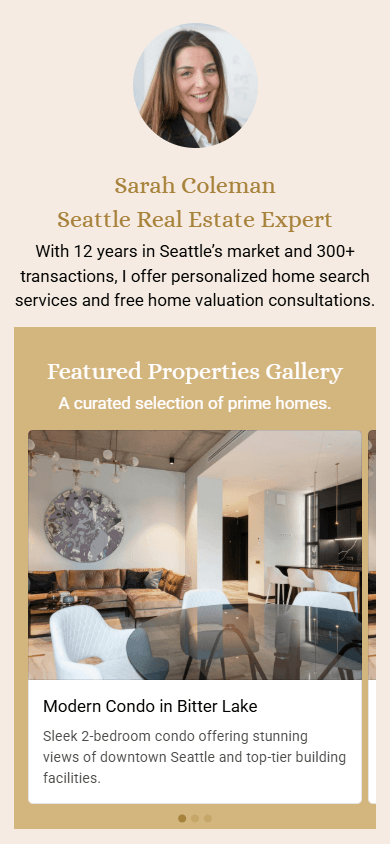
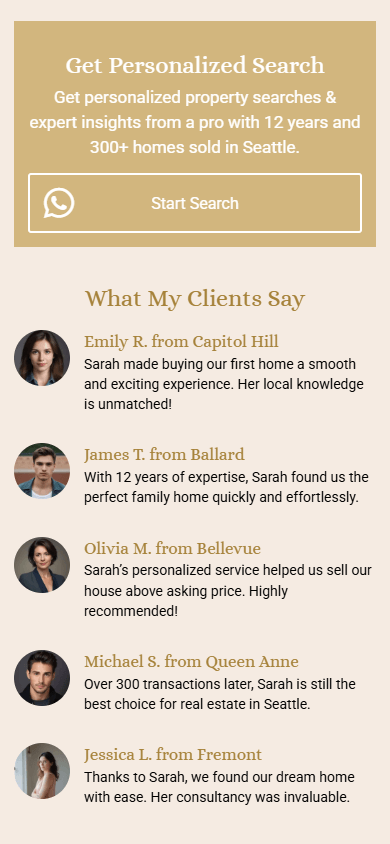
We entered this prompt into Taplink AI, changed the theme, added photos, and created the real estate website shown below.

A designer’s website should focus primarily on showcasing their portfolio. Given this, structure your prompt as follows:
- Details about you and your specialization.
- Portfolio project: its name and client.
- Services, their short descriptions, and prices.
- Your workflow.
- Your team, if you have one.
- A special offer, if available.
Below is an example of a prompt you can use to generate a website on Taplink. Just swap in your own details.
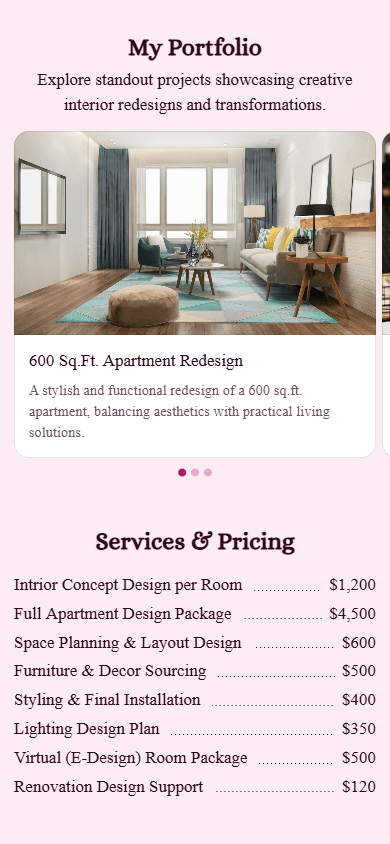
Using this prompt, we generated the designer website shown below. After the website was generated, we simply changed the theme and added our own images.


Restaurant websites have their own requirements: you need to showcase your food and highlight your services. Make sure your prompt focuses on these elements:
- Details about your restaurant and its concept.
- Top dishes and their prices.
- Additional services, such as delivery or catering, if available.
- Unique selling points.
- Restaurant location address.
Based on this structure, your prompt might look something like this:
There are two ways to include a menu on your website:
- A button linking to a menu file on Google Drive, for example.
- A price list displaying dish names and prices. In this case, name your dishes in the prompt. This approach works best if your menu is relatively short—around 5–6 items.
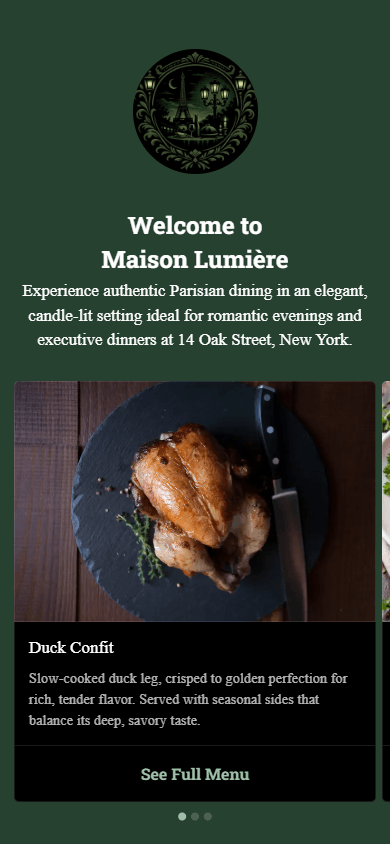
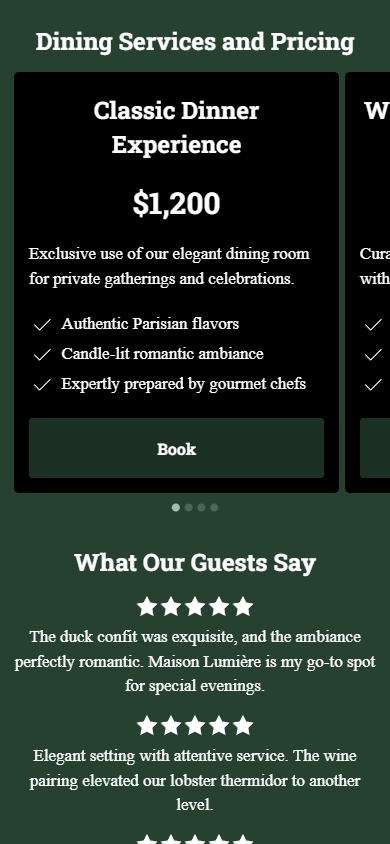
We used the prompt above, added a menu button to the carousel, uploaded photos, and changed the theme. Here is the restaurant website we ended up with.

For an e-commerce website, the main focus should be the products you sell. With that in mind, we recommend structuring your prompt like this:
- Details about your business.
- Product categories.
- Special offers/promotions/seasonal deals.
- Competitive advantages, if needed.
- FAQ topics, if needed.
Using this structure, your prompt might look like the one below. Feel free to use it by replacing the placeholder details with your own information.
If you sell physical products, it’s important to clearly explain your shipping policy, including delivery times, shipping regions, and costs. After generating your website, make sure to add a link to a document containing this information.
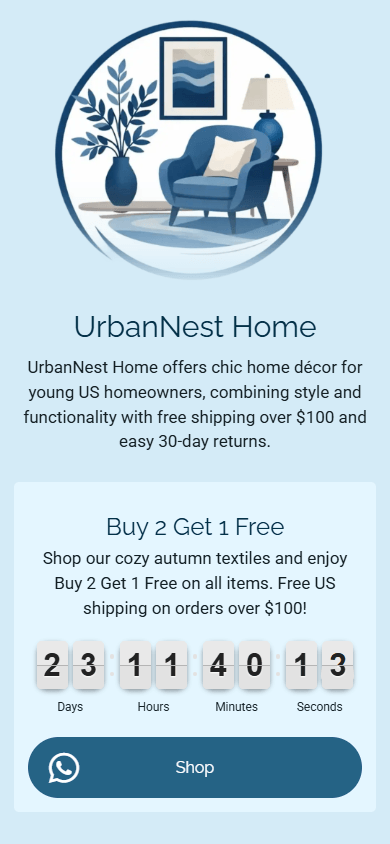
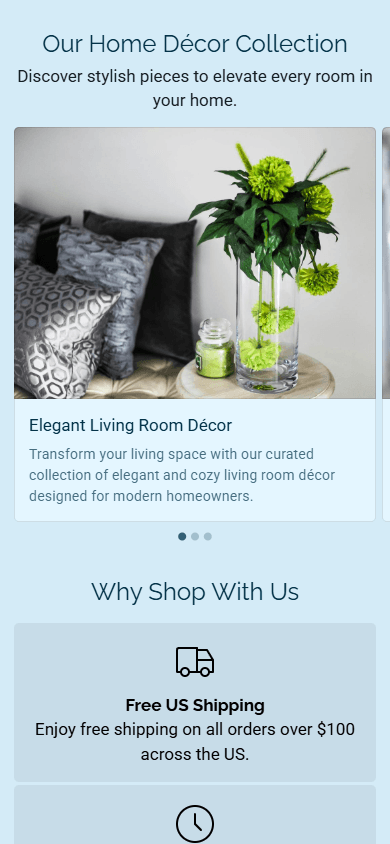
We used the prompt above to generate a website, added a link to our shipping policy, and created the home décor store website shown below.

A service business needs to communicate what it offers and how it works clearly. So, your prompt should include:
- Details about your business and the areas you serve.
- Service names, their descriptions, and prices.
- Special or promotional offers.
- Competitive advantages, if needed.
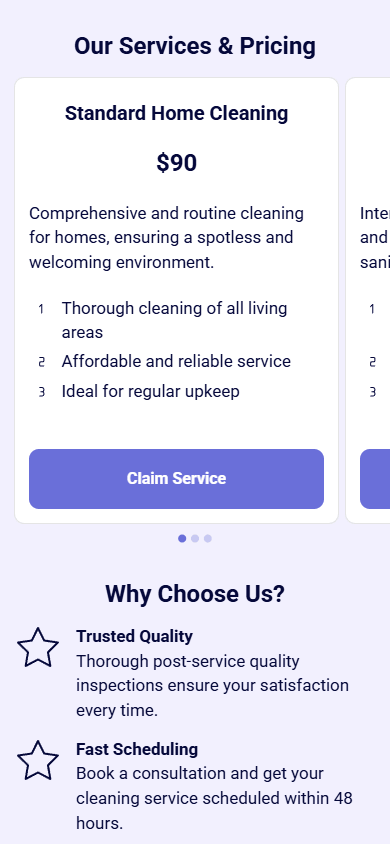
Using this structure, here’s an example AI prompt. Use it as a template to build your website by replacing the details with your own.
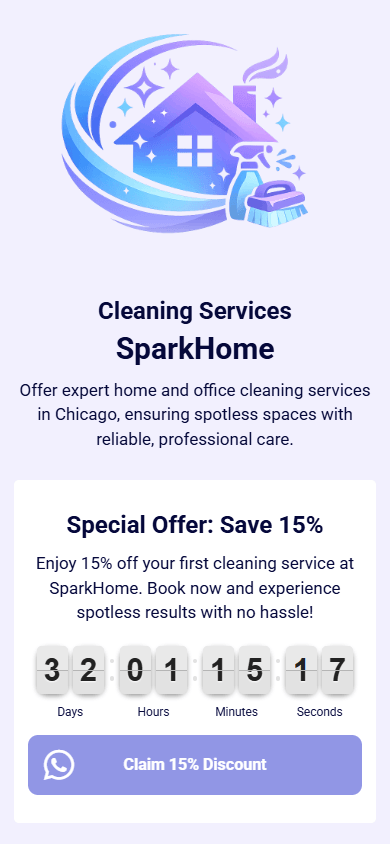
We entered this prompt into Taplink AI, changed the theme, and got the following cleaning business website.

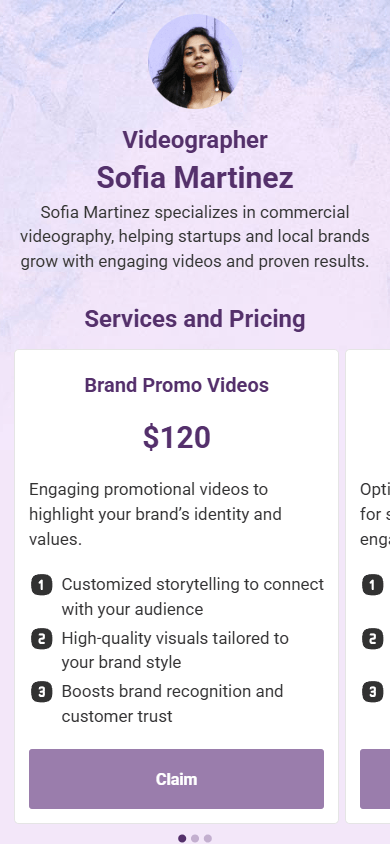
Portfolio websites are ideal for professionals such as photographers, videographers, and artists. The goal is to showcase their work and encourage potential clients to book their services. Here’s what we recommend including in your AI prompt:
- Details about you and your specialization.
- Portfolio project: its name and client.
- Services and their prices.
- Achievements like awards or major clients, if applicable.
Using this structure, your prompt might look something like this. Simply include your own details and use it to create your site.
We used this prompt to generate a website with Taplink. After that, we customized the portfolio section: we used the generated descriptions, but added our own videos to them. How to add videos to your Taplink website. Here’s the final videographer website we created.


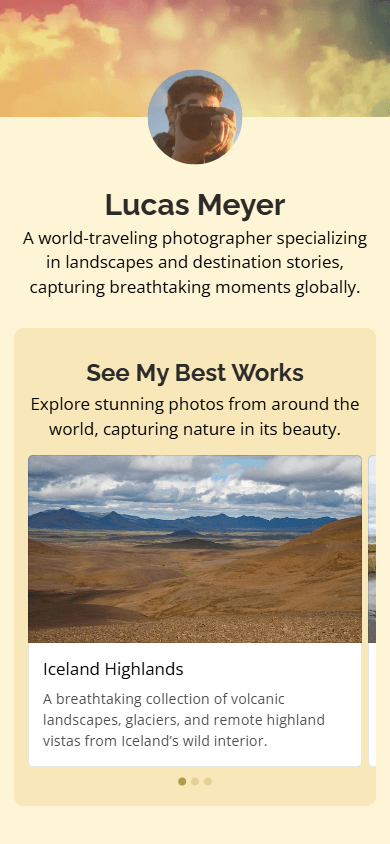
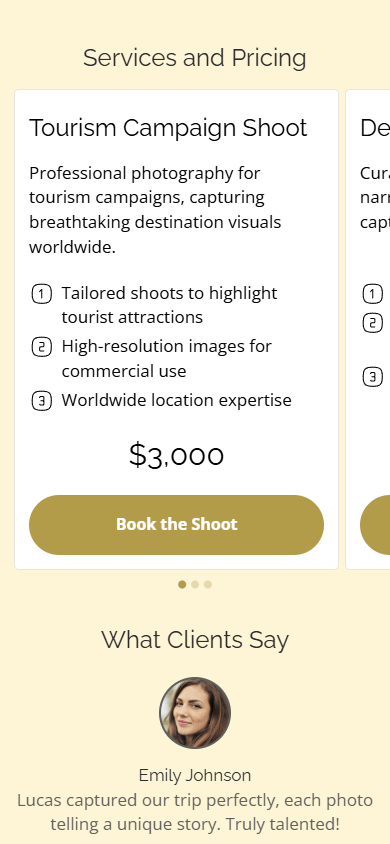
An AI prompt for a photographer’s website is very similar to one for a portfolio website. Its goal is to showcase the photographer’s work and convert visitors into clients. too. To create an effective prompt, include the following:
- Information about you as a photographer.
- Portfolio details: photo titles and client.
- Services and their prices.
- Achievements like awards or major clients, if applicable.
Here’s what your prompt will look like. Replace the details with your own and use it to build your website on Taplink.
We entered this prompt into Taplink AI, added our own photos, changed the theme, and created the photographer website shown below.

Whether you perform live or create custom music, your website should clearly explain what you do and make your music easily accessible. To generate this type of website, structure your prompt like this:
- Details about you as a musician and your music style.
- Services, if you create custom music.
- Portfolio projects, if you create custom music: track titles and clients.
- Upcoming performance details, if relevant.
- Merch, if applicable.
- Band members, if any.
After generating your website, you’ll need to add your music. In Taplink, you can add it as:
- Direct links to tracks or albums on streaming platforms.
- Standalone songs.
- An entire album, like in the site below.
Adding songs or albums lets fans play to them directly on your Taplink website without leaving the page.
If you have music videos, you can also display them on your site from YouTube, TikTok, or other platforms. Learn more about adding music and videos to your Taplink website.
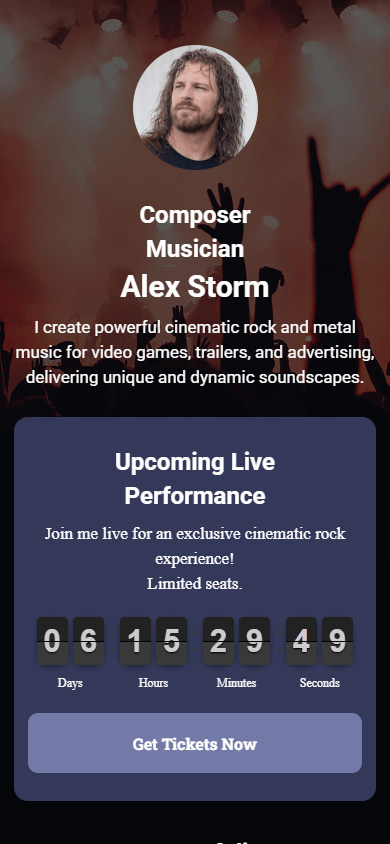
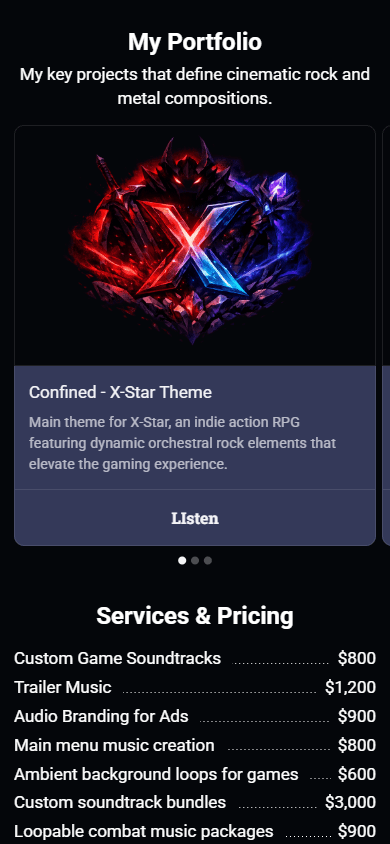
We used the prompt above to generate a website with Taplink, added music, and customized the theme. Here’s the final music artist website.

A doctor’s website should provide potential patients with essential information and build trust in the doctor’s expertise. To make sure your website highlights your qualifications and expertise, follow this prompt structure:
- Information about your background and medical expertise.
- Services and prices.
- Answers to common questions.
- Certifications and credentials, if applicable.
- Names and positions of team members, if any.
Using this structure, you’ll get the following prompt:
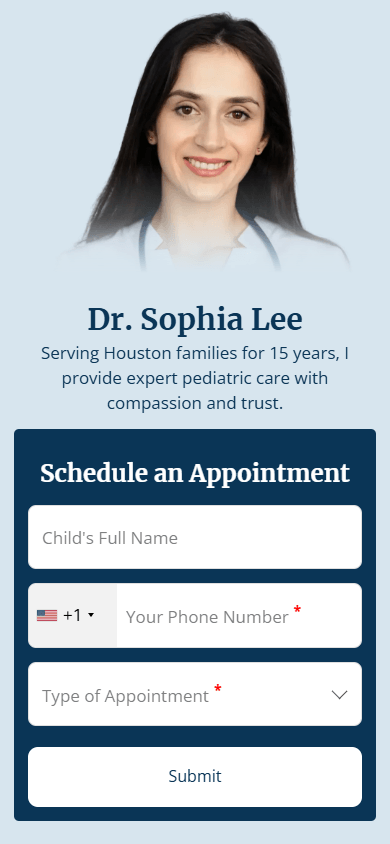
After generating your website, it’s a good idea to add an appointment booking form and a map showing your clinic’s location. The map helps patients find your location and get directions once they tap it.
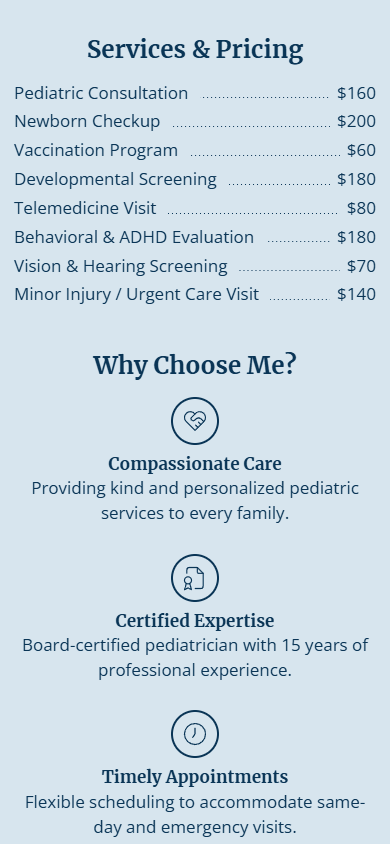
After generating the website, we added both elements and got the pediatrician website you see below.

You can build a website from prompts like the examples above using Taplink AI, an AI website builder for small and midsize businesses.
What sets Taplink apart from other AI website builders is that it creates mobile-first websites. This means they are designed to display and function properly on phones. That’s important because most people browse websites on their phones. At the same time, Taplink websites look polished and professional on desktop devices.
Taplink AI allows you to:
- Generate a website for free: Taplink AI is available on the free plan. It lets you generate, customize, and publish a website with buttons, business information, testimonials, advantages, an FAQ section, and a map showing your location.
- Generate a website in 10 seconds: After entering a prompt, you’ll get a fully structured website complete with copy, images, and design in 10 seconds.
- Choose which sections to include: can decide exactly which sections appear on your website. There are sections such as about you, special offers, testimonials, features, pricing, FAQ, your team, and other options.
- Customize section appearance: For example, the testimonials section can be displayed as an image carousel, a list of reviews with customer names and photos, or a ratings-based review list.
Other Taplink features include:
- Forms and built-in CRM: There are forms to collect emails, phone numbers, inquiries, and bookings. The CRM lets you manage customer statuses and export submitted data.
- 0% fees & 60+ payment gateways: You can sell digital products with no Taplink commission and accept payments through Stripe, PayPal, Square, and dozens of local payment providers.
- Affordable paid plans: Compared to other popular AI builders, Taplink’s paid plans cost less. They are priced at $4 and $8 per month. More on Taplink plans.
Use Taplink to create your own website with one of the ready-made prompts above or a custom prompt of your own.
To create a ready-to-use website with Taplink AI:
- Sign up.
- Open the Taplink AI website builder.
- Enter your prompt.
- Customize the color scheme, sections, and text.
- Add your own images if needed, set button actions, and fine-tune the design if necessary.
- Publish your site.
For more detailed instructions, see our guide to creating a website with Taplink AI.
Besides creating a website from scratch in Taplink, you can start with a ready-made template and generate copy for it. You can then change the theme, refine the copy, and publish your website.
Taplink offers 100+ templates.
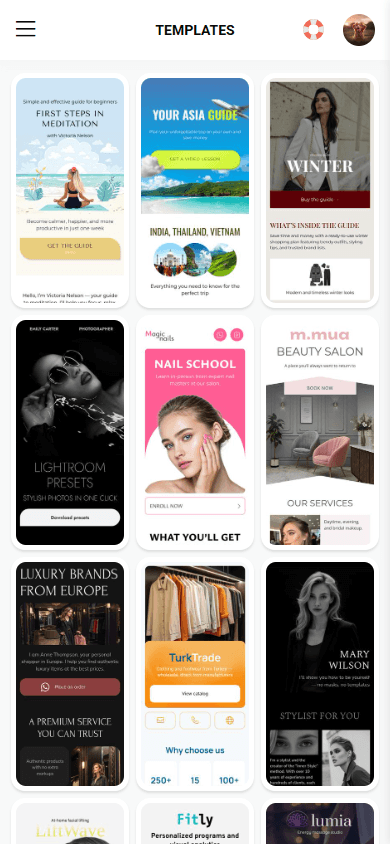
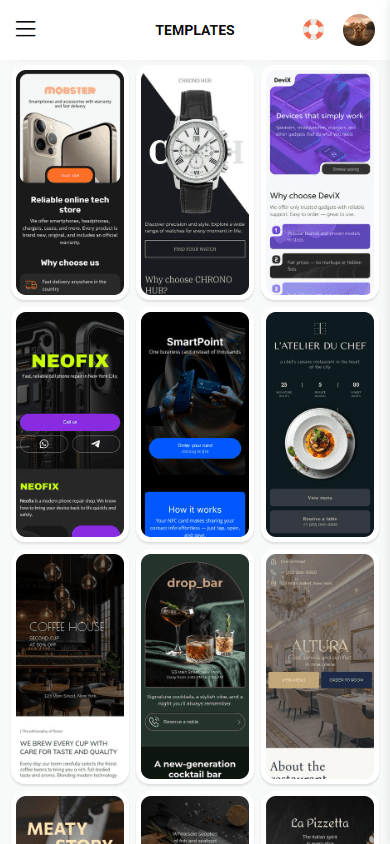

You can generate copy for your site based on a template using any prompt from this article.
To create a website from a template in Taplink:
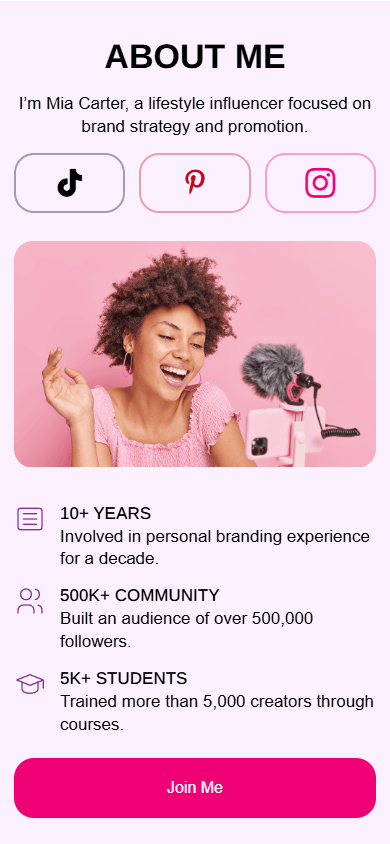
Here’s an example of a website we created using this template.


Website security depends on the AI builder you use and the technologies it relies on. In the case of Taplink, it uses HTTPS, offers secure hosting, and provides an SSL certificate. In other words, it includes the security features needed to protect your website. Additionally, you can enable two-factor authentication and check the activity log in their account.
Your prompt should include as many details about your business as possible. The more information you provide, the more accurate the website content will be. Here’s what you should always include in your prompt: your business name, its key features, services or products you provide, and competitive advantages. If you’re running a special offer or want to showcase your team, include that information too. Check out detailed guidelines and examples of AI prompts for different niches.
Yes, if the AI builder offers built-in features for selling. These may include payment processing, order tracking, and other e-commerce features. Otherwise, you’ll need to connect third-party platforms that provide these features. For example, Taplink includes all the features needed to sell digital products without relying on third-party platforms. Taplink’s sales fee is 0%. And to accept payments from anywhere in the world, you can connect up to 60 payment gateways like PayPal, Square, and many other options. How to add digital products and set up payments in Taplink.
Some platforms offer free website generation and publishing, but with basic content options and limited design customization. The cost of paid plans depends on the AI website builder you choose and can vary significantly. For example, Taplink offers a free plan, while its paid plans start at $4 and $8 per month, which is much less than many website builders. More on Taplink pricing.
You can create a website for free using the Taplink AI builder. The free plan includes the following content blocks:
- Text.
- Lists of your advantages.
- Customer testimonials.
- A map.
- Buttons for external links, calls, social media, and messaging apps.
- A built-in graphic editor.
To set up a design, you can customize it manually or use a pre-designed theme. To generate a website, use one of the ready-made prompts from this article or write your own.
Yes, Taplink allows you to create a multi-page website. However, the AI generates only the main page — other pages need to be added manually. You can create up to 512 additional pages within one website. To make it easier for your site visitors to go through all pages, you can use a navigation menu. Learn how to create and customize additional pages and a navigation menu.
Yes, Taplink provides several default domains on any plan. When publishing your website, you can choose which domain to use. You can also connect your own domain if you have one. This option is available on the Business plan.
You can generate a Taplink website in any of 33 languages, including English, German, Italian, Spanish, and Portuguese. You can select the website language when entering your prompt.