How can we help you?
How do I set up shared access?
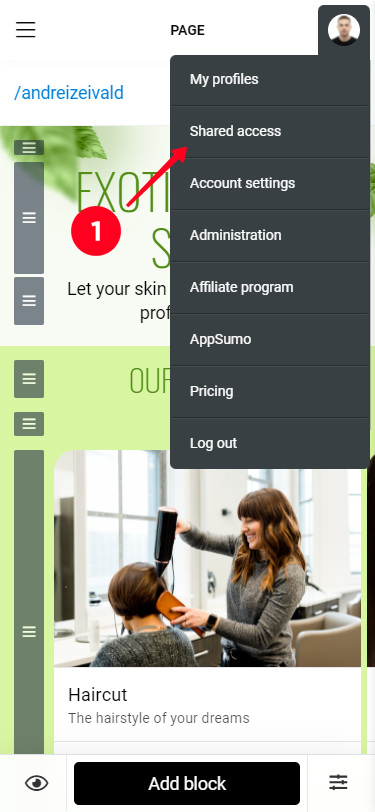
To open and manage sharing on your account, select "Shared access" from the avatar menu.
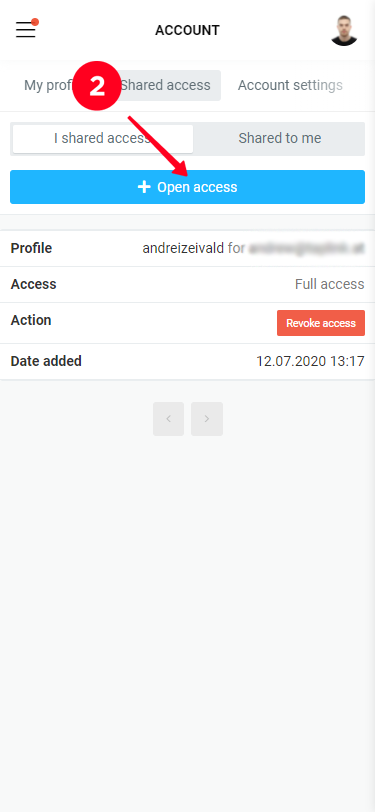
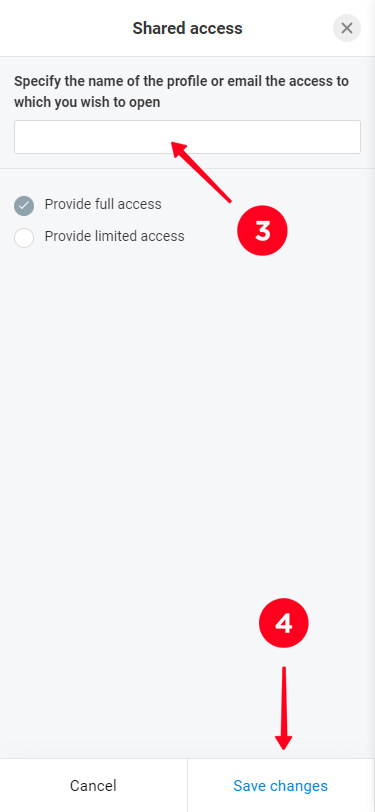
The "I shared access" tab displays the Taplink accounts that you've allowed access to your profile. To share, click the "+Open access" button and enter the username of the person you want to share your account with.
IMPORTANT: The nickname is entered without @, and the user must be registered not only on Instagram, but also on Taplink.
The person you've shared with will have your profile appear on the "Shared access" page under the "Shared to me" tab
To revoke permission: select the user in the "I shared access" list, click "Revoke access" and confirm revoking access.