How can we help you?
How do I reset my Taplink password?
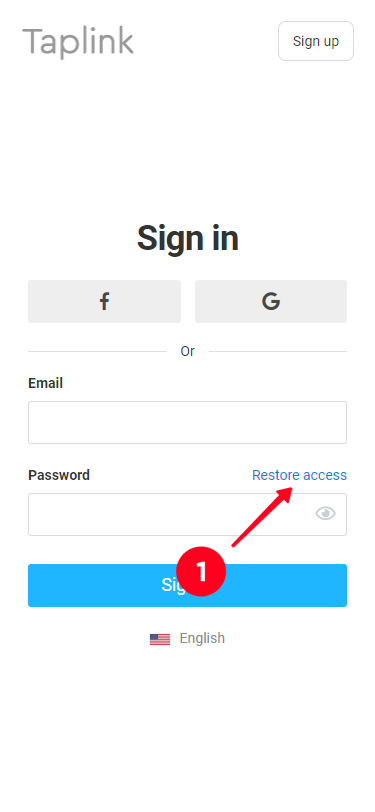
To recover your password:
Step 1: Click on the "Restore access" link
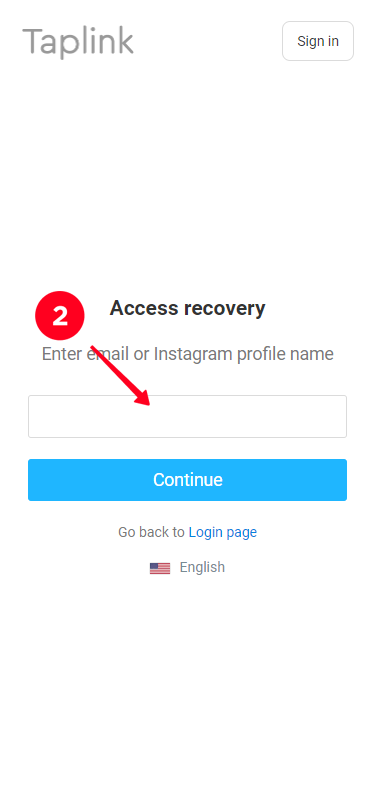
Step 2: Enter your Instagram profile nickname (no @) or the email address that your Taplink profile is registered to.
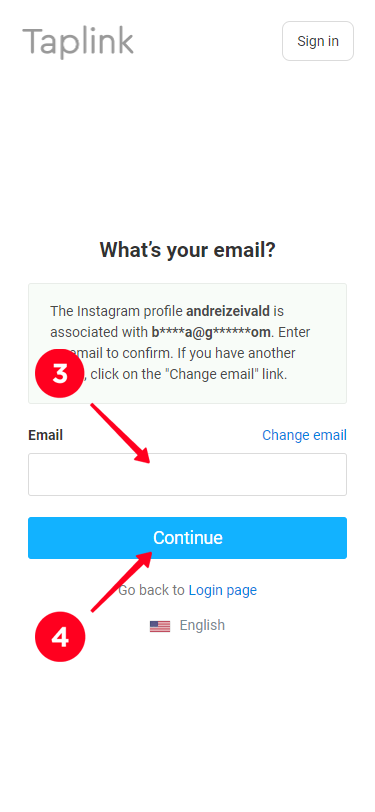
Step 3: If you have entered the profile nickname at step 2, specify the e-mail address you have used for registration with Taplink and click on "Continue".
Step 4: An email with a verification code, which is entered on the Taplink page, will be sent to the provided email address.
Step 5: Set a new Taplink password.